The Fermi ParadoxPost Date: 2010-02-17 |
Post Reply 
|
Page 12> |
| Author | |
Dragoonseal 
DS Veteran 

Joined: 03 Apr 2009 Online Status: Offline Posts: 2247 |
 Quote Reply  Topic: The Fermi Paradox Posted: 17 Feb 2010 at 6:45pm |
|
Ticket Number: 385779
Total Price with Instant Savings: $1,930.00 Direct Load URL: http://www.digitalstormonline. Specifications: Chassis Model: Special Deal Hot Seller - Cooler Master HAF 932 Exterior Finish: - Not Available Trim Accents: - Not Available Processor: Intel Core i7 920 2.66GHz (Quad Core) Motherboard: !SALE: EVGA X58 3X SLI (Intel X58 Chipset) (Supports Triple SLI or CrossFire) System Memory: 6GB DDR3 1600MHz Digital Storm Certified Performance Series (Highly Recommended) (Hand Tested) Power Supply: 1000W Corsair (Dual/Triple/Quad SLI Compatible) Expansion Bay: - Not Available Hard Drive Set 1: Operating System: 1x (500GB Western Digital (16MB Cache) (7200 RPM) (SATA) Set 1 Raid Options: - Not Available Hard Drive Set 2: Multimedia\Data: - No Thanks Hard Drive Set 3: Backup\Misc.: - No Thanks Optical Drive 1: DVD±R/RW/CD-R/RW (DVD Writer 22x / CD-Writer 48x) Optical Drive 2: - No Thanks Internet Access: High Speed Network Port (Supports High-Speed Cable / DSL / Network Connections) Video Card: - No Thanks, I will be installing my own video card(s) Add-on Card: - No Thanks Sound Card: Integrated Motherboard Audio Extreme Cooling: AIR: Stage 2: Noctua NH-D14 Extreme Performance Cooler (Compatible With ONLY i7 Processors) H20 Tube Color:- Not Available Chassis Airflow: Standard Factory Chassis Fans Internal Lighting: Internal Chassis Lighting System (Red) Enhancements: - Not Available Chassis Mods: - Not Available Noise Reduction: - Not Available Boost Processor: FREE: Stage 1: Overclock the processor between 3.3GHz to 3.9GHz (Requires Air Cooling Upgrade) Boost Video Card: - Not Available Boost Memory: - Not Available Boost OS: - Not Available Windows OS: Microsoft Windows 7 Professional (64-Bit Edition) Restore Kit: Digital Storm Specialized Recovery System (DVD Image Based) Virus Protection: - Not Available Office: - Not Available Benchmarking: - Not Available Install/Test Game: FREE: Please include a free copy of a hot-selling game Display: - No Thanks Surge Shield: - No Thanks Speakers: - No Thanks Keyboard: - No Thanks Mouse: - No Thanks External Storage: - No Thanks Exclusive T-Shirt: FREE: Digital Storm T-Shirt - Black (Large) Priority Build: - No Thanks, Ship Within 5-10 Business Days After Order Is Successfully Processed Warranty: 3 Year Platinum Care Extended Parts & Labor Warranty While I wait for Nvidia Fermi GPUs to come out it occurs to me that because of an unknown release date and most likely a short initial supply, I may easily be waiting upward of 3 months to get a DS computer with one. I've decided I'm going to just get my DS rig now minus a GPU and use my old 8800 GTS 512 (G92) in the mean time. Here is my mostly final config, but I wanted to run it by everyone for opinions. I am using a 24 inch monitor with a resolution of 1900x1200.
|
|
 |
|
|
justin.kerr
DS Veteran
Joined: 06 May 2008 Online Status: Offline Posts: 5084 |
Quote Reply
Posted: 17 Feb 2010 at 6:54pm |
|
The RAM you chose is the flavor of the week I belive, I think it can be about any RAM, so knowing the timings is impossible.
get one 160 Intel, or 2 160Gb Intels, either way you will be better off.
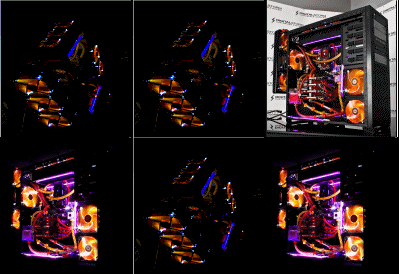
for chipset cooling, the RAM fans help a little, but not much, I always add a fan to blow directly on the north bridge, this is a bad picture of it, but you can see the fan on top of the graphics card, behind the GPU brace, it lowers the nortbridge temps a lot.
 |
|

|
|
|
|
|
Dragoonseal
DS Veteran
Joined: 03 Apr 2009 Online Status: Offline Posts: 2247 |
Quote Reply
Posted: 17 Feb 2010 at 7:03pm |
RAM fans are likely not possible because of the Noctua D14. Would you suggest getting a fan upgrade for the HAF932 to have one of the side fans blowing on the northbridge? Or does DS perhaps offer single additional fans similar to yours for chipset cooling? I seem to recall someone from DS mentioning such a thing back when they started offering the 4.0-4.2 CPU OCs because such high OCs would get the northbridge pretty hot. |
|
|
|
|
justin.kerr
DS Veteran
Joined: 06 May 2008 Online Status: Offline Posts: 5084 |
Quote Reply
Posted: 17 Feb 2010 at 7:15pm |
|
I would not go with the fans upgrade, and the RAM fan might not work with that cooler, maybe will. lol but it would not be a significant temp change anyways. I have no idea if DS would add a fan or not, but you can buy one foe $4.00 and zip tie it in if they don't. lol. I know the HAF has decent air cooling, won't hold a candle to that Lian Li pictured above, but still ok airflow, so a spot fan should keep temps happy, and keep noise at a tolerable level. |
|
|
|
|
|
|
|
Dragoonseal
DS Veteran
Joined: 03 Apr 2009 Online Status: Offline Posts: 2247 |
Quote Reply
Posted: 19 Feb 2010 at 11:31am |
|
No other opinions from anyone? I'll take that as a good thing that no one sees anything wrong with it.
 I'll probably be ordering this later today, and I'll see if they can do spot fans. |
|
|
|
|
DST4ME
DS ELITE 
Joined: 14 Apr 2008 Online Status: Offline Posts: 36758 |
Quote Reply
Posted: 19 Feb 2010 at 6:49pm |
|
looks good boss

|
|
|
|
|
Dragoonseal
DS Veteran
Joined: 03 Apr 2009 Online Status: Offline Posts: 2247 |
Quote Reply
Posted: 22 Feb 2010 at 2:59pm |
|
Bugger. I got a call from DS and was informed the Noctua D-14 does not fit on the EVGA X58 3X SLI motherboard, so I had to step down to the Noctua U12P.
 |
|
|
|
|
DST4ME
DS ELITE
Joined: 14 Apr 2008 Online Status: Offline Posts: 36758 |
Quote Reply
Posted: 22 Feb 2010 at 3:03pm |
|
its ok you are still getting good temps.
|
|
|
|
|
Dragoonseal
DS Veteran
Joined: 03 Apr 2009 Online Status: Offline Posts: 2247 |
Quote Reply
Posted: 22 Feb 2010 at 3:16pm |
|
Oh and they don't have spot fans. But that's no worry, I'll just buy a cheapy one along with the SSDs at some point in the future.
|
|
|
|
|
Frozen Anvil
Newbie 
Joined: 16 Jan 2010 Online Status: Offline Posts: 76 |
Quote Reply
Posted: 22 Feb 2010 at 6:51pm |
What?! Noooooooo  |
|
|
|
|
Dragoonseal
DS Veteran
Joined: 03 Apr 2009 Online Status: Offline Posts: 2247 |
Quote Reply
Posted: 25 Feb 2010 at 12:17am |
|
Alright, second opinion time.
I've been bummed the last few days that I had to move down to the Noctua U12P, I was really looking forward to that D14. I've been stuck on Stage 1 the last 3 days so it occurred to me that I should still be able to change my config around without penalty. So the options are: EVGA X58 3X SLI and Noctua U12P (x16/x16 with 2 cards OR x16/x8/x8 with 3 cards) EVGA X58 LE and Noctua D14 (x16/x8/x8/x4) EVGA X58 Micro and Noctua D14 (x16/x16) I was disappointed to find out that the 3X SLI board is limited to x16/x8/x8 PCIe lanes when running three cards. LE only has one x16 PCIe slot, a second or third card will always be limited to x8. A Micro has two full x16 lanes but no extra slots for anything. I never use sound or RAID cards, and I doubt I'd ever go with a Tri-SLI setup, so I'm heavily leaning toward going with the Micro and a Noctua D14. Any glaring issues with the Micro other than limited PCI lanes? |
|
|
|
|
Exsidium
Groupie 
Joined: 13 Feb 2010 Online Status: Offline Posts: 166 |
Quote Reply
Posted: 25 Feb 2010 at 12:23am |
|
You sure the d14 will fit the micro? Might want to call and check on that before you weigh too heavily on it. |
|
|
|
|
Dragoonseal
DS Veteran
Joined: 03 Apr 2009 Online Status: Offline Posts: 2247 |
Quote Reply
Posted: 25 Feb 2010 at 12:46am |
That would certainly be a bummer if it didn't, but I haven't read anything saying it doesn't fit on a Micro. Noctua's D14 compatibility list has the Micro marked as fine. But then, it also had the EVGA 3X SLI marked as fine until 1-2 days ago, but now that is changed to "Installation only in vertical position with the heatsink rotated by 180°. Please make sure to realign the anti-vibration dampeners and the fans as well." I'll make sure to ask DS if it fits. |
|
|
|
|
Exsidium
Groupie
Joined: 13 Feb 2010 Online Status: Offline Posts: 166 |
Quote Reply
Posted: 25 Feb 2010 at 12:52am |
|
Let us know what they say, always good info to have. |
|
|
|
|
DST4ME
DS ELITE
Joined: 14 Apr 2008 Online Status: Offline Posts: 36758 |
Quote Reply
Posted: 25 Feb 2010 at 1:34am |
|
ya I'm not sure about the micro, let us know.
with LE you won't lose too many fps because of the x8 lane. are you even gonna go cf? |
|
|
|
|
Dragoonseal
DS Veteran
Joined: 03 Apr 2009 Online Status: Offline Posts: 2247 |
Quote Reply
Posted: 25 Feb 2010 at 2:04am |
I doubt I'll Crossfire, never been an ATI fan, but you never know. I will most likely be sticking to a single Fermi type Nvidia card for some time, it doesn't look like there will be much of anything that would need 2 Fermi SLI at a 1900x1200 resolution any time soon. Down the road however, I'd like the option of picking up a second if prices come down enough, but I would think it would be pretty throttled on a x8 lane. |
|
|
|
|
DST4ME
DS ELITE
Joined: 14 Apr 2008 Online Status: Offline Posts: 36758 |
Quote Reply
Posted: 25 Feb 2010 at 2:07am |
|
not so sure it will be throttled that much.
if you want the d14 and dual x16 lanes then go with classified. |
|
|
|
|
Dragoonseal
DS Veteran
Joined: 03 Apr 2009 Online Status: Offline Posts: 2247 |
Quote Reply
Posted: 25 Feb 2010 at 2:15am |
I don't want it that badly, the Classified motherboards are way too expensive in my opinion. Not that I'm going completely budget on my rig or anything, but I just don't see enough benefits from a Classified to warrant the +$220. With my needs, I'd rather just drop down to the smaller Noctua if need be, but we'll see if it'll fit on the Micro. Oh also, the Classified isn't an option for the Special Deal Hot Seller configs. |
|
|
|
|
DST4ME
DS ELITE
Joined: 14 Apr 2008 Online Status: Offline Posts: 36758 |
Quote Reply
Posted: 25 Feb 2010 at 2:47am |
|
you can always request it and see what they say, I agree with you about the classified but for people that want to cf/sli it does provide space between the gpus for better temps. but ya the price is high, its a luxury item IMO.
|
|
|
|
|
Dragoonseal
DS Veteran
Joined: 03 Apr 2009 Online Status: Offline Posts: 2247 |
Quote Reply
Posted: 25 Feb 2010 at 1:43pm |
|
"Dear XXXXX XXXXX,
I have changed you to the EVGA x58 Micro motherboard, as well as the Noctua DH14 cooler that you originally selected." Big thanks to Sarah!  |
|
|
|
|
DST4ME
DS ELITE
Joined: 14 Apr 2008 Online Status: Offline Posts: 36758 |
Quote Reply
Posted: 25 Feb 2010 at 2:05pm |
|
ok so it fits the micro. thanks
|
|
|
|
|
Dragoonseal
DS Veteran
Joined: 03 Apr 2009 Online Status: Offline Posts: 2247 |
Quote Reply
Posted: 25 Feb 2010 at 8:46pm |
|
Success!
Feb 25th 1:28pm: Stage 2: (Inventory Assignment) Feb 25th 1:28pm: Stage 3: (Phase 1 Integration) Feb 25th 3:24pm: Stage 4: (Engineering Lab) Feb 25th 8:15pm: Stage 5: (Phase 2 Stress Testing) Phew, that was ideal, now it is all set for stress testing over the weekend while they're closed. I'm glad I ordered at the start of the week. Course, now I'm back to waiting until at least Monday before I get any more updates.  |
|
|
|
|
Dragoonseal
DS Veteran
Joined: 03 Apr 2009 Online Status: Offline Posts: 2247 |
Quote Reply
Posted: 09 Mar 2010 at 9:40pm |
|
March 5th 2:08pm EST: Stage 6 (Quality Assurance)
March 9th 8:48pm EST: Stage 6 (Quality Assurance) March 9th 8:49pm EST: Stage 7 (QA Passed) Processor Speed GHz: 3.7 CPU Multiplier: 21 Voltage CPU VCore: 1.35 VDroop Control: Yes i7 - BCLK MHz: 179 i7 - Voltage QPI\DRAM: i7 - Voltage QPI\PLL: i7 - Voltage CPU VTT: 150 i7 - Voltage IOH Vcore: i7 - Voltage ICH Vcore: i7 - Voltage IOH/ICH I/O: i7 - PWM Frequency: 780i/790i - Memory Clock Mode: 780i/790i - CPU FSB MHz: 780i/790i - Voltage FSB: 780i/790i - Voltage SPP: 780i/790i - Voltage MCP: Motherboard BIOS: s844 Video Card Driver: 196.21 Chipset Driver: cd Sound Card Driver: cd Ouch. I'm disappointed. I was expecting much better from a Noctua D14. In the mean time, I emailed them to ask for the idle/load CPU temps, I'll update when I get them. |
|
|
|
|
justin.kerr
DS Veteran
Joined: 06 May 2008 Online Status: Offline Posts: 5084 |
Quote Reply
Posted: 09 Mar 2010 at 9:45pm |
|
D14 will lower temps a touch, but that does not effect the overclock that DS gives you. |
|
|
|
|
|
|
|
Dragoonseal
DS Veteran
Joined: 03 Apr 2009 Online Status: Offline Posts: 2247 |
Quote Reply
Posted: 09 Mar 2010 at 9:53pm |
|
True enough. I'll save my disappointment for if I find out the temps are maxing out near the red zone, because that'll mean I got a pretty craptastic 920 chip.
But if temps are low/good then I can definitely live with the moderate OC. |
|
|
|
|
justin.kerr
DS Veteran
Joined: 06 May 2008 Online Status: Offline Posts: 5084 |
Quote Reply
Posted: 09 Mar 2010 at 10:07pm |
|
your temps will be good, chip itself won't change the CPU temps much at all, some do leak voltage more than others, but that is a very small range of variance. speed and voltage are the main contributors to heat generation, leakage is just a small multiplier off the base heat output.
|
|
|
|
|
|
|
|
Dragoonseal
DS Veteran
Joined: 03 Apr 2009 Online Status: Offline Posts: 2247 |
Quote Reply
Posted: 09 Mar 2010 at 10:17pm |
|
Interesting. So if you had multiple chips all with the same OC settings and cooling conditions, they're all going to have roughly the same temperatures?
So what tends to be the difference between a good chip and bad chip? How much voltage you have to feed it to keep it stable at a specific speed setting? |
|
|
|
|
cheebamaster
Groupie
Joined: 10 Feb 2010 Online Status: Offline Posts: 134 |
Quote Reply
Posted: 09 Mar 2010 at 10:31pm |
|
I also got the D14 and they OC'd it to 3.75..isn't that more than enough?
|
|
|
|
|
justin.kerr
DS Veteran
Joined: 06 May 2008 Online Status: Offline Posts: 5084 |
Quote Reply
Posted: 09 Mar 2010 at 10:47pm |
what makes a good chip and a bad chip is different for different users, one chip might do 4.0 Ghz with very low Voltage, so a great chip for the average gamer, but most likely a poor chip to put under LN2 and say 1.8V on it..maybe. lol
Most of the first batches of the D0 i7's were very good overclockers, and as the newer batches come out they get a bit worse, but that is very typical, they all will do 4.2-4.6Ghz if there is enough cooling, I have not overclocked a lot of i7's myself, maybe 16-17 now, but it takes a lot of time to get those high, stable overlclocks, and Digital Storm is not going to spend a week on one rig just getting the overclock maxed out, it would make no sense for them or the customer, so there is a compromise, give the customer a huge increase over stock performance, for a minimal amount of time invested.
|
|
|
|
|
|
|
|
Dragoonseal
DS Veteran
Joined: 03 Apr 2009 Online Status: Offline Posts: 2247 |
Quote Reply
Posted: 09 Mar 2010 at 10:51pm |
For now sure, I'm fine with that much of an OC, if temperatures are nice. But if that was the limit of my chip/cooler and temps were maxing out as high as DS is comfortable with letting them get, then no I wouldn't be too much of a happy camper. DS does 3.75s on the cheap subpar Cooler Master V8, I'd hate to think the Noctua D14 was crapping out at the same limit, especially considering it's $76 more and I had to step down to a smaller motherboard to fit it. |
|
|
|
|
justin.kerr
DS Veteran
Joined: 06 May 2008 Online Status: Offline Posts: 5084 |
Quote Reply
Posted: 09 Mar 2010 at 11:05pm |
|
you are not anywhere near the limits lol
|
|
|
|
|
|
|
|
Dragoonseal
DS Veteran
Joined: 03 Apr 2009 Online Status: Offline Posts: 2247 |
Quote Reply
Posted: 18 Mar 2010 at 1:18pm |
|
Alright, computer arrived last night right before I went to bed. Great packing, so far I haven't managed to find a single thing that was broken, bent, scratched, or even disconnected. So far it has gone well, installed my old video card and transfered over some things with my old SSD, but the next thing I want to do is proving to be a pain as I've never done anything like it before.
Intel 80gb G2 SSDs finally went down in price recently, close to the $200 mark again, so I grabbed up three of them and they arrived right before the computer. The task of transferring over the OS to a RAID 0 array of the SSDs is daunting to me. However it has occurred to me that since the OS is all I need to transfer and not any files (just a few that I can transfer again later) would it be easier to just do a fresh install of Windows 7 on the new RAID array? |
|
|
|
|
DST4ME
DS ELITE
Joined: 14 Apr 2008 Online Status: Offline Posts: 36758 |
Quote Reply
Posted: 18 Mar 2010 at 2:01pm |
|
you gonna have to fresh install, you can only take files over and games that don't use the registry, everything else can't move as far as I know.
|
|
|
|
|
Dragoonseal
DS Veteran
Joined: 03 Apr 2009 Online Status: Offline Posts: 2247 |
Quote Reply
Posted: 18 Mar 2010 at 2:07pm |
Well I was thinking of using cloning software to clone the whole drive over, but after a bit more googling it looks like a fresh install is the preferred method anyway. And in my my case it is definitely the easier route, so I guess I might as well go start on that now, no sense in installing anything more if I'm just going to have to reinstall afterward. |
|
|
|
|
DST4ME
DS ELITE
Joined: 14 Apr 2008 Online Status: Offline Posts: 36758 |
Quote Reply
Posted: 18 Mar 2010 at 2:18pm |
|
Well as you know I have clone guide, but like I said, if you cloned it to the 3 drives in raid, it won't boot.
you are right, no sense in installing anything now, just fresh install and install everything afterwards, be sure to clone or save the current drive so if something happens in this process, you can go back to what you had before the raid. once the raid is running fine then just clone the raid over the old clone, or to a separate drive if you like. |
|
|
|
|
Post Reply
|
Page 12> |
| Forum Jump | Forum Permissions You cannot post new topics in this forum You cannot reply to topics in this forum You cannot delete your posts in this forum You cannot edit your posts in this forum You cannot create polls in this forum You can vote in polls in this forum |

About Digital Storm
Contact Information
Facility Tour
Financing
Buy Now, Pay Later
Downloads
GSA Schedule
Terms & Conditions
Privacy Policy
Request Help
Call: 1-669-235-3810
(Hours 9AM-5PM PST)





 Topic Options