graphics card problemPost Date: 2009-01-24 |
Post Reply 
|
| Author | ||||
gameon 
Groupie 
Joined: 15 Sep 2007 Online Status: Offline Posts: 110 |
 Quote Reply Quote Reply
 Topic: graphics card problem Topic: graphics card problemPosted: 24 Jan 2009 at 11:03am |
|||
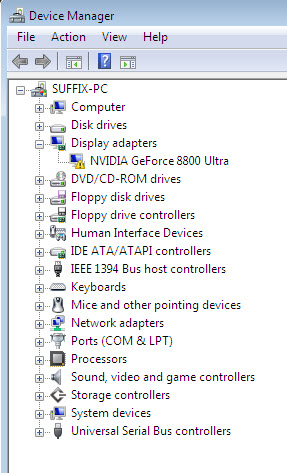 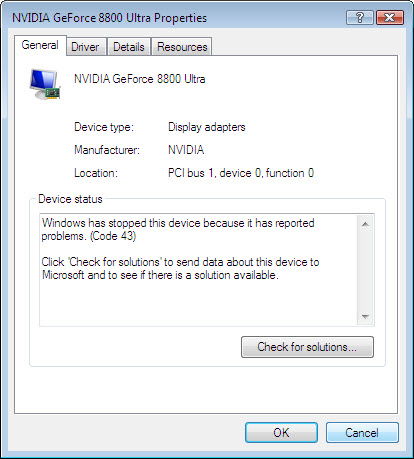 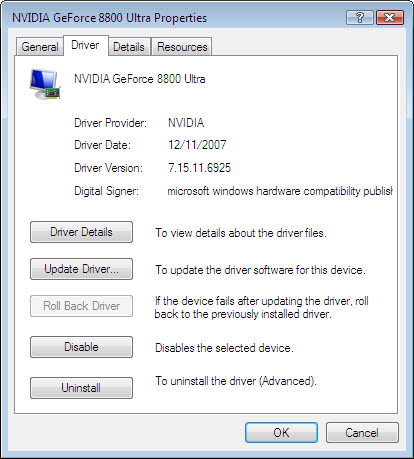 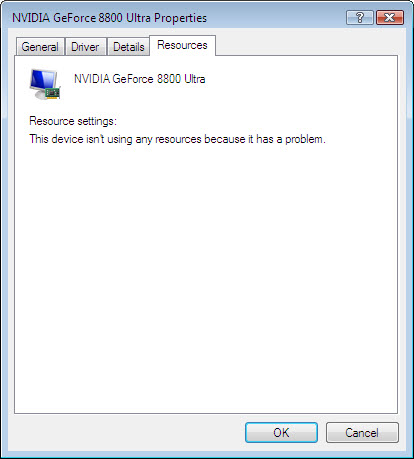 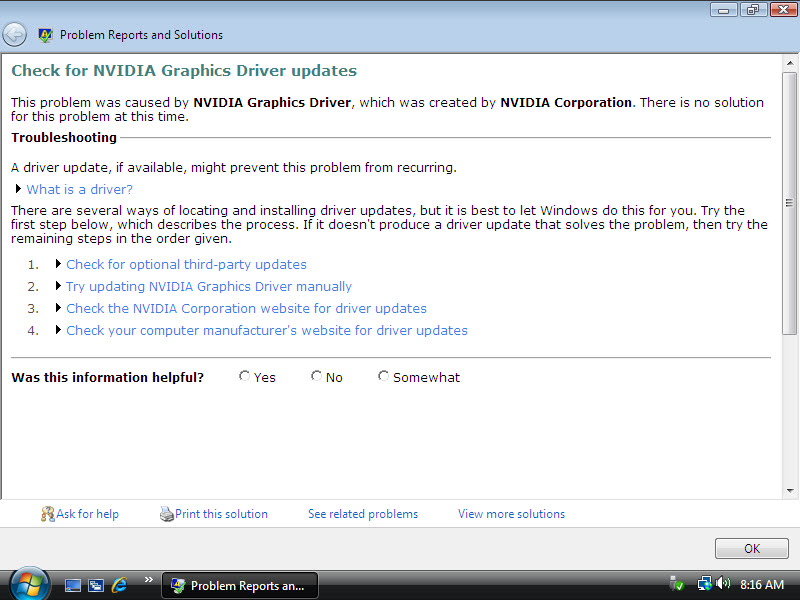 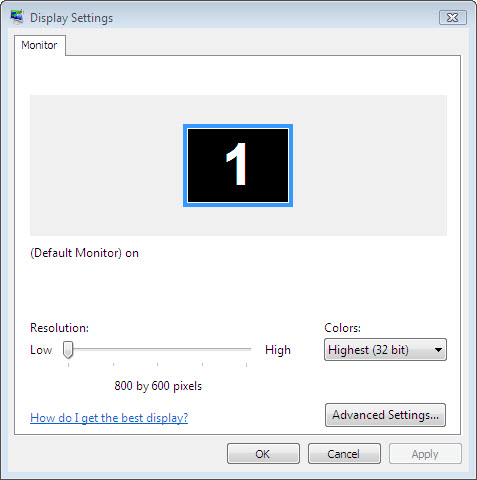 I think I may need a new graphics card. I got my Digital Storm computer 10-23-07. I think I may need a new graphics card. I got my Digital Storm computer 10-23-07. Power supply: 620W Processor: Intel Core 2 Quad Q66002.4GZh Motherboard: nVidia680iLTCore 2 Quad Memory: 2GB DDR2 Corsair at 1066MHz Video card: nVidia GeForce 8800Ultra 768MB Air cooled stage 3 OS: Win Vista 32 with service pack 1 installed One day (Jan 22) I turned on my computer and the graphics were messed up. I tried correcting the problem by updating the driver. It turned out that there was a new driver out on the Nvidia web site that day. I installed it but that didn’t fix it. I can’t even play any of my games. I decided to format my hard drive and install everything new as well as using a different monitor but that didn’t work. I formatted it again and installed older graphics drivers that I know had worked with my computer and still it did not fix the problem. None of the graphics drivers are installing properly. I see inside my computer that the graphics card has power to it because its fan is spinning. Also, my computer is no longer over clocked because games kept crashing. I set it to run normally many months ago. I am posting several screen shots of my monitor showing problem windows. I have a Samsung SyncMaster 2232BW and I set its resolution to low in the hope that you could see the pictures better when I took screen shot using a program called SnagIt 9 but the screen shots don’t show any of the lines on my monitor. In order to show you the lines that are now always on my monitor, I had to take a picture with my camera. What can I do to fix my graphics card problem problem? 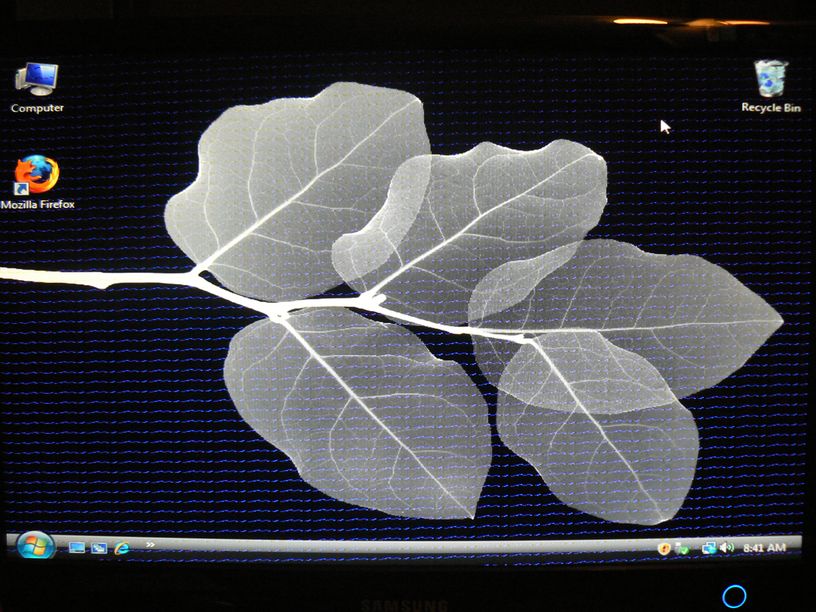 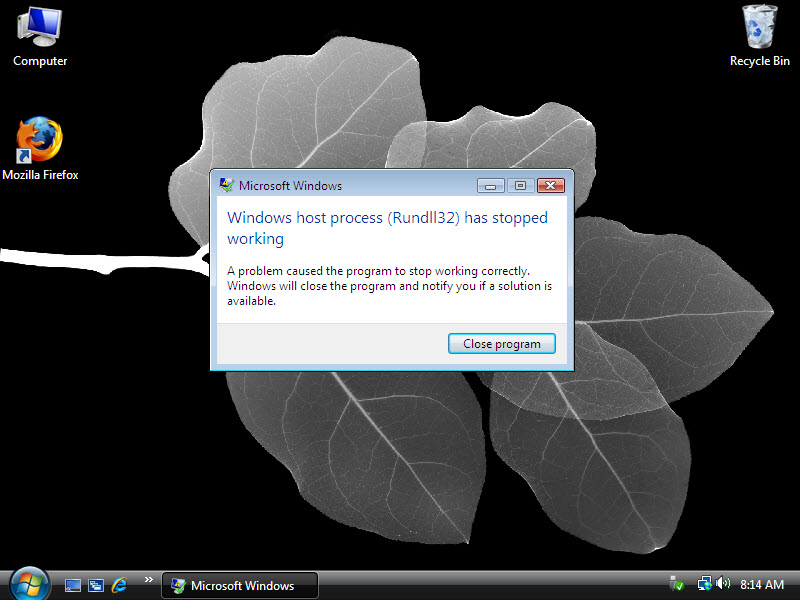
|
||||
|
find time to play.
|
||||
 |
||||
|
gameon
Groupie
Joined: 15 Sep 2007 Online Status: Offline Posts: 110 |
Quote Reply
Posted: 24 Jan 2009 at 2:16pm |
|||
|
I don't know were in the registry I am to delete video drivers but I have Uninstalled and reinstalled the video driver twice in safemode and I used Ccleaner and still the problem continues. I also reinstalled the motherboard drive incase something happened to that.One thing I do notice is that the (Rundll32) pop up window dosn't pop up now.
|
||||
|
find time to play.
|
||||
|
||||
|
gameon
Groupie
Joined: 15 Sep 2007 Online Status: Offline Posts: 110 |
Quote Reply
Posted: 24 Jan 2009 at 3:50pm |
|||
|
I don't have a antivirus program installed.I went into safemode and deleted nvidia graphics driver only by using Ccleaner. Then I restarted it in safemode and used ccleaner to clean the registry then deleted the nvidia video driver and its contents from were it has been installed. I went into the registry and found a few "NVIDIA corporation" folders but I didn't see anything that said "NVidia vid drivers" or "NVidia vid" on the right side or the left side of the window. I then again restarted in safemode and installed the new nvidia graphics driver. The problem is still the same accept that I don't have the (Rundll32) window. Could it be that some part of the video card is not working and the driver dosn't work with it because the card isn't running to it's fullest?
|
||||
|
find time to play.
|
||||
|
||||
|
DST4ME
DS ELITE 

Joined: 14 Apr 2008 Online Status: Offline Posts: 36758 |
Quote Reply
Posted: 24 Jan 2009 at 3:59pm |
|||
|
are you using the latest drivers?
|
||||
|
||||
|
gameon
Groupie
Joined: 15 Sep 2007 Online Status: Offline Posts: 110 |
Quote Reply
Posted: 24 Jan 2009 at 4:05pm |
|||
|
yes. I installed the new 181.22_geforce_winvista_32bit_english_whql from Nvidia website. I also just installed the newest driver that Microsoft recomended and the (Rundll32) window came back and the problem remains.I also have motherboard driver 15.23_nforce_winvista32_international_whql installed.
Edited by gameon - 24 Jan 2009 at 4:07pm |
||||
|
find time to play.
|
||||
|
||||
|
DST4ME
DS ELITE
Joined: 14 Apr 2008 Online Status: Offline Posts: 36758 |
Quote Reply
Posted: 24 Jan 2009 at 4:29pm |
|||
|
I want you to use an older driver for your gpu. you have the one that came with your system? say 178?
|
||||
|
||||
|
DeathBringer666
Groupie
Joined: 22 Jan 2009 Online Status: Offline Posts: 43 |
Quote Reply
Posted: 24 Jan 2009 at 4:37pm |
|||
|
Archived drivers are here http://www.nvidia.com/Download/Find.aspx?lang=en-us
|
||||
|
||||
|
DST4ME
DS ELITE
Joined: 14 Apr 2008 Online Status: Offline Posts: 36758 |
Quote Reply
Posted: 24 Jan 2009 at 4:40pm |
|||
|
was just looking for that, thank you DB

gameon try 180 first then work your way down to 178 and see if any of them help you out. rememeber to uninstall all drivers and don't let windows install any drivers for it. Edited by DST4ME - 24 Jan 2009 at 4:41pm |
||||
|
||||
|
gameon
Groupie
Joined: 15 Sep 2007 Online Status: Offline Posts: 110 |
Quote Reply
Posted: 24 Jan 2009 at 5:13pm |
|||
|
Okay. I'll give them a try. I don't think I've ever had this much trouble with a driver befor.
|
||||
|
find time to play.
|
||||
|
||||
|
DST4ME
DS ELITE
Joined: 14 Apr 2008 Online Status: Offline Posts: 36758 |
Quote Reply
Posted: 24 Jan 2009 at 5:45pm |
|||
|
the latest Nvidia drivers seems to be from the toilet.
on my 9800gx2 upon install of new drivers (181),I couldn't even boot into windows anymore, I would get the "memory parity" error, only thing that would work was the 178 drivers, they seems to be the last one to work right for most people. |
||||
|
||||
|
gameon
Groupie
Joined: 15 Sep 2007 Online Status: Offline Posts: 110 |
Quote Reply
Posted: 25 Jan 2009 at 10:32am |
|||
|
I have installed drivers 180.42,178.24 and 178.13. None of them fix the problem accept that the (Rundll32) pop up window is gone again. I can't think of anything else to do in the way of drivers to get this thing working. If there isn't anything else to try to fix the graphics then I have to see about sending back the graphics card or the entire computer back to DS.
|
||||
|
find time to play.
|
||||
|
||||
|
DST4ME
DS ELITE
Joined: 14 Apr 2008 Online Status: Offline Posts: 36758 |
Quote Reply
Posted: 25 Jan 2009 at 10:34am |
|||
|
in that case contact them on monday and see if they have a fix or want you to send it back.
|
||||
|
||||
|
EdH63
DS Veteran 
Joined: 01 Sep 2007 Online Status: Offline Posts: 1826 |
Quote Reply
Posted: 25 Jan 2009 at 11:00am |
|||
|
I'm posting this with the understanding that you may already know it. However, it never hurts to be thorough.
The Lowdown on What the Term Rundll32 Refers To… The Rundll32 file has the responsibility of being the data manager between what is called your dynamic link library ( .dll ) and many of the peripherals and devices attached to your computer. The Dynamic Link Library is the portion of your operating system where all the files that allow multiple programs to run at once on your Windows computer or stored. When Bill Gates and Microsoft originally created the first Windows programs, it was a way for users to have a much more visually friendly interface with the DOS operating system. When a single program would run in the Windows Environment such as a word processing application, it was not able to share resources with other programs, which meant that if you tried to run three or four programs at once, the computer became bogged down because each program ran separately - and in some cases, two programs that needed access to the same file couldn’t run at the same time. To solve the problem, the engineers at Microsoft came up with a way for multiple programs to share those files and resources instead of each one being a single operation. They came up with a shared library of links that would allow a running program to access the same data and files at once, and the concept of the Dynamic Link Library ( .dll ) was born. Understanding the Rundll32. Error and How It Effects Your Computer The Rundll32 error can be caused by a variety of different problems ranging from malfunctioning hardware to conflicts between programs, and can also be a symptom of a virus or Trojan being present in your system. The error messages can come at any given time typically triggered by an application attempting to access the .dll library. The most common error message reads something like this... RUNDLL: Error loading C:\windows\system 32\bridge.dll. The specified module could not be found. In understanding the meaning of this message, RUNDLL tells us which portion of the .dll library there error is happening in. The error loading C:\windows\system32\ tells us that it part of the 32bit operating system and the bridge.dll bit tells us which file in the RUNDLL segment is receiving the error. What Causes a RUNDLL32 Error ? In most cases, the problem is likely the result of a corrupt or even deleted file, and in this case, most likely a driver, somewhere on your computer that is causing another program not to run properly. With a RUNDLL data call, in most circumstancesone of your computer devices not communicating properly with your PC. How to Trouble Shoot and Eliminate a RUNDLL32 Error. The good news is that there is an easy solution to eliminating most runtime errors. Programs such as Registry Mechanic by PC Tools or Registry Patrol from Patrol Software Labs that will run a series of trouble shooting diagnostic tests on your computer and not only identify any errors on your computer, but also fix them. This is actually a pretty easy thing to do. What you want to do is download a reputable registry program such as Registry Patrol which is free do to and is the program I most recommend to my clients. To download the program, go to their website ( click here to visit ) and click on the green “ start registry scan now “ button. This will take you to their free download page where you can try out the program at no charge as well as run a full scan of your system to check for what is causing those error messages. Depending on how many files your computer has on it, the scan will take anywhere from a few minutes to as long as 20 minutes to complete. Once the program is finished, it will report back to you about any errors it has found that are causing your computer to act funky. Registry Patrol will check the entire file structure of your computer including file integrity, application extension problems ( how your programs interact with Windows when they run ) shared files, short cut issues and a host of other file sections that the average person could care less about just as long as their computer runs properly. Once the program is done, you can then have it fix any problems it has found by simply clicking “ Fix the Problems “ There is a high degree of chance that any quality registry repair program will fix and eliminate this and any other error issues you have been experiencing, and companies such as Registry Patrol offer guarantees with their programs to ensure that their program works or you don’t have to pay anything. |
||||
|
||||
|
bullseyehk
Groupie
Joined: 08 Dec 2008 Online Status: Offline Posts: 212 |
Quote Reply
Posted: 25 Jan 2009 at 1:09pm |
|||
|
honestly i had that same screen issue with my 6800 ultra last year...ended up being dead after having it for 5 years..was able to see but had those colums of weird lines through my screen. had to replace it. have a 12 year old computer i use for the net thats had 0 parts break down..this one after 5 years lost a video card already /sigh.
anyhow this system isnt that great but 4700+ amd 2 gig ram and now a 7800 video card |
||||
|
||||
|
Alex
Admin Group 
Digital Storm Supervisor 
Joined: 04 Jun 2012 Online Status: Offline Posts: 16314 |
Quote Reply
Posted: 26 Jan 2009 at 1:21am |
|||
|
The kernel for your operation system and the graphics driver is mixed up. I would recommend doing a clean installation of Windows to resolve this.
Warm Regards,
Alex
|
||||

|
||||
|
||||
|
gameon
Groupie
Joined: 15 Sep 2007 Online Status: Offline Posts: 110 |
Quote Reply
Posted: 26 Jan 2009 at 11:17am |
|||
Okay. Just finish doing another clean install with Vista and I still have lines running across the screen. I think I'm going to try installing WinXP later. I have to go to work now. To be continued An update for anyone who cares. I will be upgrading to a 9800GTX PLUS. I hope this will fix it. Edited by gameon - 28 Jan 2009 at 4:08pm |
||||
|
find time to play.
|
||||
|
||||
|
gameon
Groupie
Joined: 15 Sep 2007 Online Status: Offline Posts: 110 |
Quote Reply
Posted: 31 Jan 2009 at 2:19pm |
|||
|
Another interesting update. Although my graphics card got messed up, I could still use my computer for the internet and just not pay too much attention to the lines. Now, just a minute ago, without doing anything, no driver updates, the lines went away. So, I decided to reinstall the new vid driver to see what would happen and still no lines. I don't know how long this is going to last and I kind of don't dare to try installing and playing Crysis for fear of compleatly loosing the picture. Also, I have a newer card on the way from DS that I hope will be great. I wish I understood what this computers problem is.
Now lines are flickering off and on. just not a dependable card. Edited by gameon - 31 Jan 2009 at 4:39pm |
||||
|
find time to play.
|
||||
|
||||
|
DST4ME
DS ELITE
Joined: 14 Apr 2008 Online Status: Offline Posts: 36758 |
Quote Reply
Posted: 31 Jan 2009 at 4:42pm |
|||
|
Since after reinstall you still have the problems, I'm thinking its the card, lets get the card and see how it goes.
when you deal with a highend pc at first it might need some tweaking before its right  and ask you can see sometimes the parts just go bad. and ask you can see sometimes the parts just go bad.
|
||||
|
||||
|
gameon
Groupie
Joined: 15 Sep 2007 Online Status: Offline Posts: 110 |
Quote Reply
Posted: 01 Feb 2009 at 8:17am |
|||
|
Lines are back
 and I got a question. and I got a question.I am to receive a new 9800GTX Plus in place of my 8800Ultra in a few days. I have a question about the transition. Am I to uninstall the driver for the 8800Ultra first then take out the 8800 card then put in the 9800 and intall the driver for that? I had thought about leaving the power supply wires for the 8800 in my computer to use for the 9800. Should I not do that? Also, I have read else were on the forum that someone may have to speed up the fan on his card for better cooling. Will I need to make adjustments to my new cards fan speed? If so, I will need to know how to do that. |
||||
|
find time to play.
|
||||
|
||||
|
gameon
Groupie
Joined: 15 Sep 2007 Online Status: Offline Posts: 110 |
Quote Reply
Posted: 04 Feb 2009 at 9:02pm |
|||
|
I just finished installing the new card and so far things are working fine. So, if you have a problem with lines on your monitor, it just may be your card that is causing it.
|
||||
|
find time to play.
|
||||
|
||||
|
DST4ME
DS ELITE
Joined: 14 Apr 2008 Online Status: Offline Posts: 36758 |
Quote Reply
Posted: 04 Feb 2009 at 9:12pm |
|||
|
looks like HM has answered your questions already and the problem is fixed
|
||||
|
||||
|
gameon
Groupie
Joined: 15 Sep 2007 Online Status: Offline Posts: 110 |
Quote Reply
Posted: 06 Feb 2009 at 7:52pm |
|||
|
I'm just letting DS know that I've mailed the 8800Ultra to them today. I wonder if they can tell me what broke on it?
|
||||
|
find time to play.
|
||||
|
||||
|
Post Reply
|
| Forum Jump | Forum Permissions You cannot post new topics in this forum You cannot reply to topics in this forum You cannot delete your posts in this forum You cannot edit your posts in this forum You cannot create polls in this forum You cannot vote in polls in this forum |

About Digital Storm
Contact Information
Facility Tour
Financing
Buy Now, Pay Later
Downloads
GSA Schedule
Terms & Conditions
Privacy Policy
Request Help
Call: 1-866-817-8676
(Hours 9AM-5PM PST)





 Topic Options


 In this Article I'll Explain