Headphones via bluetooth troublePost Date: 2020-04-23 |
Post Reply 
|
| Author | |
MatthewF 
Newbie 

Joined: 02 Dec 2019 Online Status: Offline Posts: 19 |
 Quote Reply Quote Reply
 Topic: Headphones via bluetooth trouble Topic: Headphones via bluetooth troublePosted: 23 Apr 2020 at 1:58pm |
|
Hello all!
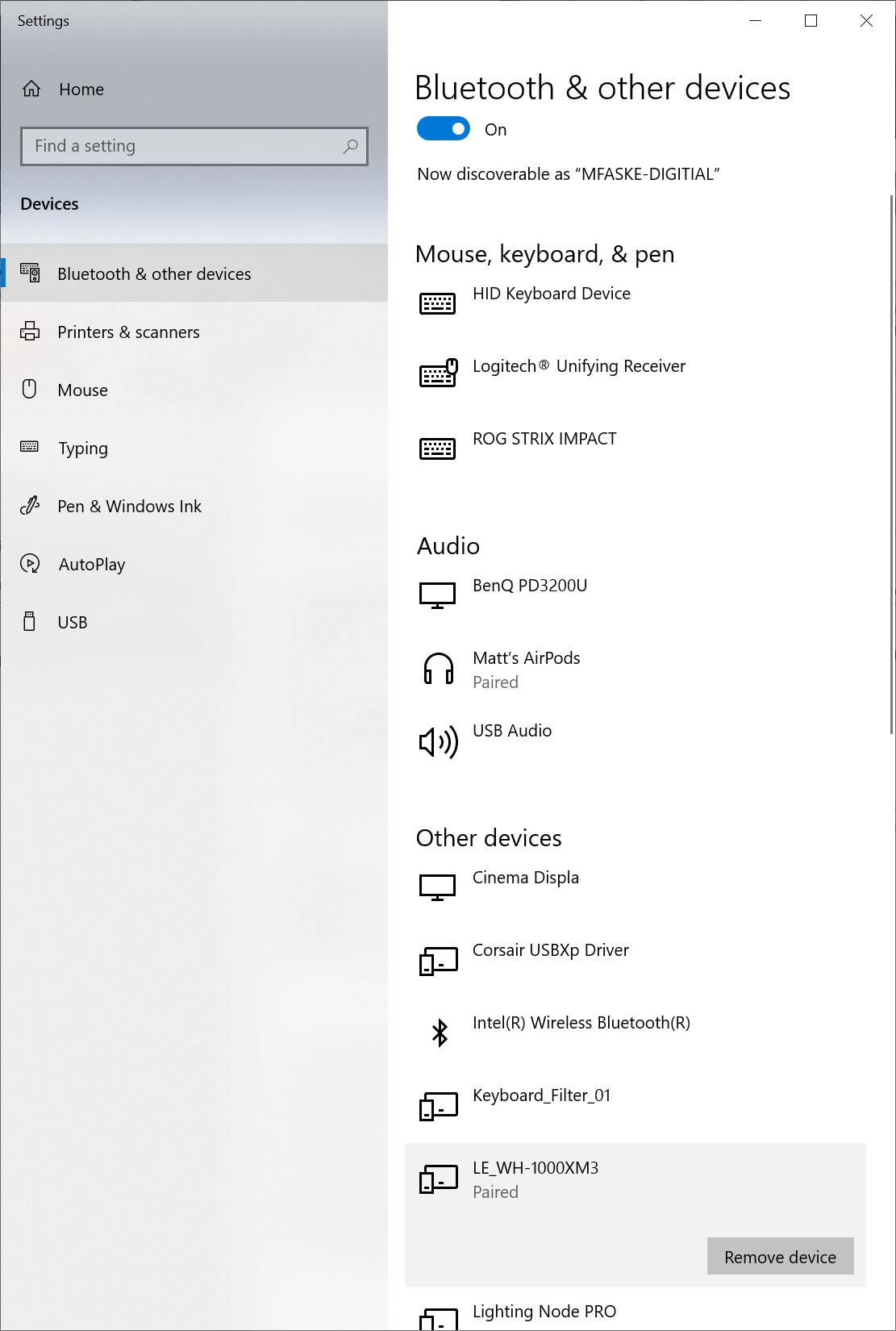
I have a relatively new DS build (late winter 2020), using the MSI Creator TRX40 Motherboard and am having trouble getting headphones to connect via bluetooth. I've tried two different headphones, the Apple Airpods and the Sony WH-1000xm3. While both show as being paired (and connected, in the case of the airpods)-see screenshot, neither are able to receive audio. When selecting "Speakers" from the taskbar, the bluetooth devices are not available as an option (attached screen shot). OS is Windows 10 Professional. Any advice on how to transmit audio to bluetooth headphones? I feel like I've tried everything, and searched every possible avenue online for solutions with no luck. Unless it involves something like going into the bios. I'm beginning to think that maybe this just isn't an available function of the motherboard, and I might need an external bluetooth transmitter (hooked to the SPDIF output) or something like that. Any help is greatly appreciated. Thanks, Matt 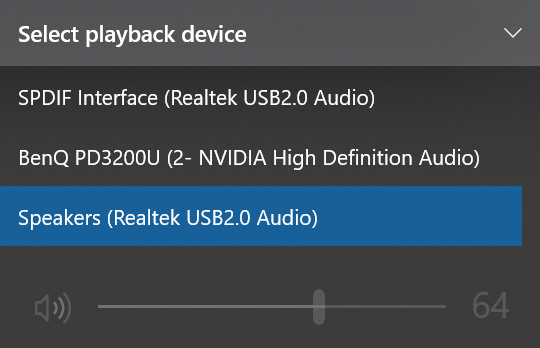
|
|
 |
|
|
MatthewF
Newbie
Joined: 02 Dec 2019 Online Status: Offline Posts: 19 |
Quote Reply
Posted: 25 Apr 2020 at 5:42pm |
|
Hey all - I finally found a solution that worked for me! I'm posting this here in case anyone else has the same problem:
•Make sure your headphones are not connected to any other devices like your phone (they automatically pair up to the last device). •Go to "Sound Control Panel" (one of the ways to open it : search for sound settings, scroll down and you should find it in related settings) •Right click and disable all your other playback devices, like speakers or headphones. •Try to pair your headphones after this (remove them and pair again if they already paired) |
|
|
|
|
Cretae
DS Veteran 
Joined: 22 Mar 2010 Online Status: Offline Posts: 7331 |
Quote Reply
Posted: 26 Apr 2020 at 4:49am |
|
Excellent MatthewF! Thanks for the advisory. I'm happy you got your issue resolved!

|
|
|
|
|
Post Reply
|
| Forum Jump | Forum Permissions You cannot post new topics in this forum You cannot reply to topics in this forum You cannot delete your posts in this forum You cannot edit your posts in this forum You cannot create polls in this forum You cannot vote in polls in this forum |

About Digital Storm
Contact Information
Facility Tour
Financing
Buy Now, Pay Later
Downloads
GSA Schedule
Terms & Conditions
Privacy Policy
Request Help
Call: 1-866-817-8676
(Hours 9AM-5PM PST)





 Topic Options