How can I install a Win95 game on Vista 64bit systPost Date: 2009-06-27 |
Post Reply 
|
| Author | |
gameon 
Groupie 
Joined: 15 Sep 2007 Online Status: Offline Posts: 110 |
 Quote Reply Quote Reply
 Topic: How can I install a Win95 game on Vista 64bit syst Topic: How can I install a Win95 game on Vista 64bit systPosted: 27 Jun 2009 at 9:29am |
|
I have the game Rocket Jockey and I’d like to be able to play it on Vista 64bit. Can this be done? If so, could you tell me how to do it? I got this game years ago when I had Win95.
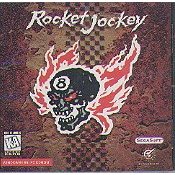 http://www.amazon.com/Rocket-Jockey/dp/B0002VRPPU/ref=sr_1_1?ie=UTF8&s=videogames&qid=1246108724&sr=8-1 I wish very much that there was an updated Vista version of this game in the works. Edited by gameon - 27 Jun 2009 at 9:41am |
|
|
find time to play.
|
|
 |
|
|
DST4ME
DS ELITE 

Joined: 14 Apr 2008 Online Status: Offline Posts: 36758 |
Quote Reply
Posted: 27 Jun 2009 at 12:45pm |
|
right click the exe and choose properties, then go to compatibility tab, check box "run this program in compatibility mode for XP sp2".
make sure you install it in your x86(32-bit) program files. see if that helps. |
|
|
|
|
gameon
Groupie
Joined: 15 Sep 2007 Online Status: Offline Posts: 110 |
Quote Reply
Posted: 27 Jun 2009 at 2:38pm |
|
I see how I can choose the compatibility for the game but I don't see how I can choose x86(32-bit).
|
|
|
find time to play.
|
|
|
|
|
DST4ME
DS ELITE
Joined: 14 Apr 2008 Online Status: Offline Posts: 36758 |
Quote Reply
Posted: 27 Jun 2009 at 3:18pm |
|
ok let me explain, under your C: drive, you have 2 program folders, one is a 64-bit folder and the other is a 32-bit folder, one of them is marked with either (x86) or (x64), look under your C: drive and see which is marked, if the 64bit is maked then you want to install in the other folder, if the x86 is marked then you want to install in that folder.
during install you want to choose where to install the game, then you choose the correct folder you have found before hand. does that make sense? Edited by DST4ME - 27 Jun 2009 at 3:18pm |
|
|
|
|
gameon
Groupie
Joined: 15 Sep 2007 Online Status: Offline Posts: 110 |
Quote Reply
Posted: 27 Jun 2009 at 6:38pm |
|
Okay, thanks but it dosn't ask me were to install it. It just tells me that it won't install and that it may need to install on at 32bit operating system. I have tried installing it from the CD while trying many compatibilities and I have dragged all the files from the CD into a folder,about 150MB, then putting the folder into the Program Files (x86) folder and trying many operating compatibilities again. Still it tells me that I may need to install it on a 32bit operating system.
|
|
|
find time to play.
|
|
|
|
|
DST4ME
DS ELITE
Joined: 14 Apr 2008 Online Status: Offline Posts: 36758 |
Quote Reply
Posted: 27 Jun 2009 at 6:51pm |
|
OK then install VMware and then install XP inside vmware
 or win95 inside wmware. or win95 inside wmware.Edited by DST4ME - 27 Jun 2009 at 6:51pm |
|
|
|
|
gameon
Groupie
Joined: 15 Sep 2007 Online Status: Offline Posts: 110 |
Quote Reply
Posted: 27 Jun 2009 at 7:01pm |
|
I will explore that. thanks
|
|
|
find time to play.
|
|
|
|
|
DST4ME
DS ELITE
Joined: 14 Apr 2008 Online Status: Offline Posts: 36758 |
Quote Reply
Posted: 27 Jun 2009 at 7:10pm |
|
good luck

|
|
|
|
|
Post Reply
|
| Forum Jump | Forum Permissions You cannot post new topics in this forum You cannot reply to topics in this forum You cannot delete your posts in this forum You cannot edit your posts in this forum You cannot create polls in this forum You cannot vote in polls in this forum |

About Digital Storm
Contact Information
Facility Tour
Financing
Buy Now, Pay Later
Downloads
GSA Schedule
Terms & Conditions
Privacy Policy
Request Help
Call: 1-866-817-8676
(Hours 9AM-5PM PST)





 Topic Options