New build - primarily for Folding at HomePost Date: 2011-01-27 |
Post Reply 
|
| Author | |
bakerac 
Newbie 

Joined: 26 Jan 2011 Online Status: Offline Posts: 38 |
 Quote Reply Quote Reply
 Topic: New build - primarily for Folding at Home Topic: New build - primarily for Folding at HomePosted: 27 Jan 2011 at 7:55pm |
|
Budget:
$1,500 - $1,800 Expectations / Usage: A super desktop configuration I can leave on in the background running Folding @ home GPU and -bigadv work units, will look good, be not too noisy, play the occasional blu-ray, will operate as my desktop for video editing, office applications, etc. I will play the occasional game like Civilization, Flight Sim, that genre, but I'm not into MMOs or the first person shooters. Special Needs: I've put some thought into the build, and would like come comments: - I've chosen the HAF922 - after looking at the Enix, the 912 and others. This seems to give a lot of flexibility - adding drives should be easy. There are some excellent videos out there on Youtube showing all the available cases. - I've chosen the i7 2600K, and expect to overclock the heck out if it. -- I've chosen the ASUS P8P67 Pro motherboard, for the GUI bios, the tuning tools, the built in blue tooth, and the flexibility. There are some good videos on Newegg that go through the ASUS line of Sandy Bridge MOBOs, although they are essentially an interview with one of the ASUS sales engineers, so take it with whatever grain of salt you will. - I've chosen dual 500 GB drives in RAID0 to give me excellent performance at a lower price point than the SSDs. I intend to slap in a 1 TB or bigger data drive in the future, probably one of the WD Caviar Blacks. But, I don't think I need it for now. - I've chosen the new NVIDIA GeForce GTX 560 Ti 1GB video card, and expect to OC the heck out of that too. QUESTION: the configurator has a generic video card, and the EVGA Superclock version. Now, the EVGA superclock doesn't really OC the card all that much. What exactly is the generic video card?? - Since I want to play the occasional Blu-ray, and have gotten used to two optical drives, I've chosen the Blu-ray READER, and a Lightscribe dvd/cd reader/writer. Saved Ticket #: 481994 Specifications: $1656 Chassis Model: Special Deal Hot Seller - HAF 922 Exterior Finish: - Standard Factory Finish Trim Accents: - Standard Factory Finish Processor: Intel Core i7 2600K 3.40GHz (Unlocked CPU for Extreme Overclocking) (Quad Core) Motherboard: ASUS P8P67 Pro (Intel P67 Chipset) (Features USB 3.0 and SATA 6Gb/s) System Memory: 4GB DDR3 1600MHz Digital Storm Certified Performance Series (Highly Recommended) (Hand Tested) Power Supply: 750W Digital Storm Certified (Dual SLI Compatible) (Silent Edition Recommended) Expansion Bay: Internal Digital Media Card Reader (Black) (NOTE: Disables 2 Front USB Ports) Hard Drive Set 1: Operating System: 2x (500GB Western Digital/Seagate/Hitachi/Samsung (16MB Cache) (7200 RPM) Set 1 Raid Options: Configure HDD Set 1 to a Raid 0 Config - Stripe Performance (Requires Two HDDs) Hard Drive Set 2: Multimedia\Data: - No Thanks Hard Drive Set 3: Backup\Misc.: - No Thanks Optical Drive 1: Blu-Ray Player/DVD Player (Play Blu-Ray and Play DVDs) Optical Drive 2: DVD-R/RW/CD-R/RW (DVD Writer 24x / CD-Writer 48x) (LightScribe Edition) Internet Access: High Speed Network Port (Supports High-Speed Cable / DSL / Network Connections) Video Card: 1x NVIDIA GeForce GTX 560 Ti 1GB (Includes PhysX Technology) Add-on Card: - No Thanks Sound Card: Integrated Motherboard Audio Extreme Cooling: AIR: Stage 1: Noctua NH-U12P SE Dual 120mm Fans High Performance Cooler H20 Tube Color:- Not Applicable, I do not have a FrostChill or Sub-Zero LCS Cooling System Selected Chassis Airflow: Standard Factory Chassis Fans Internal Lighting: Internal Chassis Lighting System (Blue) Enhancements: - No Thanks Chassis Mods: - No Thanks Noise Reduction: - No Thanks Boost Processor: FREE: Overclock the processor between 3.6GHz to 3.9GHz Boost Video Card: FREE: Yes, Overclock the video card(s) as much as possible with complete stability Boost Memory: - No Thanks, Please do not overclock my memory Boost OS: FREE: Yes, Disable and tweak all of the non-crucial services on the operating system Windows OS: Microsoft Windows 7 Home Premium (64-Bit Edition) Recovery Tools: Windows Recovery Toolkit (Bundled with Windows 7 CD) Virus Protection: - No Thanks Office: - No Thanks Benchmarking: - No Thanks Install/Test Game: FREE: Hot-selling game with a NVIDIA GeForce GTS 250 or above graphics card Display: - No Thanks Surge Shield: - No Thanks Speakers: - No Thanks Keyboard: - No Thanks Mouse: - No Thanks External Storage: - No Thanks Exclusive T-Shirt: FREE: Digital Storm T-Shirt - Black (Xtra Large) Priority Build: - No Thanks, Ship Within 5-15 Business Days After Order Is Successfully Processed Warranty: Life-time Expert Customer Care with 3 Year Limited Warranty ======== Already have at home: ASUS VW266H 25.5-Inch Widescreen LCD Monitor (1920 x 1200) HDMI APC Back-UPS ES 750 battery backup system. - may or may not be big enough for this rig. Edited by bakerac - 28 Jan 2011 at 1:59am |
|
 |
|
|
Qwann
Newbie
Joined: 14 Oct 2010 Online Status: Offline Posts: 85 |
Quote Reply
Posted: 27 Jan 2011 at 8:30pm |
|
Looks like a very solid build to me.
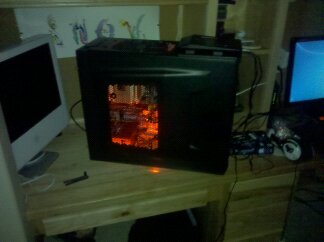
The only thing I would think twice about is the storage. 2 traditional HDD's in raid 0 have double the failure rate, and their speeds are really no where near that of SSD's. My advice would be to just get a standard 1 TB HDD now and look at Intel's third generation SSD's coming out in the first half of this year. They're apparently much faster, larger, and are supposed to be at an unheard cost of $1/GB. It would be very easy to add an SSD down the road. You should easily be able to bump up the OC later down the road yourself with the Noctua air cooler. No problems there. The 922 is a very solid choice also. It's the case that I have right here next to me and I like it's size and look myself, although it does look a little industrial. Keep in mind that the 922 comes with a front RED LED front fan, not blue like pictured in the configuration pictures. DSO can swap it to a blue one if you'd like though. I myself have red lighting in mine which I like. 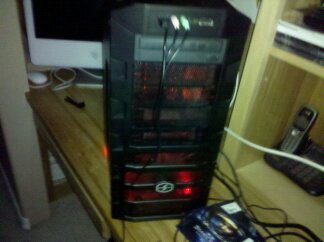
 Edited by Qwann - 27 Jan 2011 at 10:07pm |
|
|
|
|
DST4ME
DS ELITE 
Joined: 14 Apr 2008 Online Status: Offline Posts: 36758 |
Quote Reply
Posted: 28 Jan 2011 at 1:12am |
|
Haf 922 = good choice
2600k = good choice now as a folder myself, let me tell you a few things. noise, this is gonna be an issue for you, to fold at a higher rate, you gonna want to OC the heck out of the gpu, the shader and core are linked so you will have to oc both, this means that you will have high temps, high temps means that you have to set the fan for the gpu to high, like 80 to 100%, now take a wild guess at where 90% of the noise of a pc comes from, you guessed it, the gpu fan when its set to high, so that is gonna be an issue, gpu fans are loud, just to give you an idea, my quad 480s for example get about 14000 points a day each and stock, when I oc the cards, they each get around 17000 points a day, so you can see how much difference the oc makes in the folding speeds. Not sure where you heard what but from what I understand the p8p67 has the same blue tooth and deluxe and pro have, the bios and etc should be the same from what I have seen, there are small few options that pro has in teh bios but nothing big. 2 x 500GB in raid is nothing close to a performance of a good ssd, not even close, the seektime for example is a world of difference and raid makes a tiny difference in it, raid helps with big file oporations, most of your os use and etc is at a 4k (small file) level, a ssd would kill a pair of 500GB in raid here. I explained the oc on gpu and how much difference it makes, so you know that oc on gpu is what you want but we dont' want the gpu oced already, we want a stock gpu that we can oc ourselves, the oc versions have mild ocs on them and not worth it. now before I can help you with your build, I need to know what res you gonna be gaming at. going off of your own build, I would change it to this: Ticket Number: 482243 |
|
|
|
|
bakerac
Newbie
Joined: 26 Jan 2011 Online Status: Offline Posts: 38 |
Quote Reply
Posted: 28 Jan 2011 at 3:37am |
|
Thanks to Qwann and DST4ME for your comments.
I see the trades are good ones - recommending the WD Caviar Black 1TB HDD vs the two 500 MB in a RAID0. The cost is a wash between the two and WD is one of the SATA 6GB capable drives. - Pulling ~$30 out of the MOBO - the base p8p67 vs the PRO, and putting it into the Corsair power supply vs the base TechNPS. I've read the config guide by !ender_, and see that the Tech is "modular", which may make it slightly less efficient than the corsair. Is there any other consideration for the power supply? - I'm still trying to figure out the NVIDIA GeForce GTX 560 Ti video cards. There are a number on the market with different characteristics one can check out. but, the only "name brand" offered by DSO seems to be the EVGA superclock. What kind of cooling does the DSO card have? what kind of power consumption? With a figurative tip of the hat to DST4ME, what is the noise level? re: gaming. I do little on the current system, maybe because my old Pentium 4/HT 3.2 GHz uniprocessor with the AGC bus HIS ICE-Q ATI 4670 GPU is too anemic for most of today's games. I run folding 24/7 for ~1450 PPD between a GPU client and CPU client. Of course, that's when I'm not doing email, banking, spreadsheets for a non-profit I work with, etc. I want to try both Civilization and the latest Flight Sim, though. I want to do video editing from my HD camera that none of my systems at home now can cope with. |
|
|
|
|
Qwann
Newbie
Joined: 14 Oct 2010 Online Status: Offline Posts: 85 |
Quote Reply
Posted: 28 Jan 2011 at 3:58am |
|
Keep in mind that a traditional HDD will come nowhere near 6GB/sec. Not even the fastest SSD's get very close to that bandwidth limit either, for that matter.
In terms of the PSU, I don't fully agree with DST, but it's certainly one component to not skimp on. In my personal case I bought my rig over the black friday sale which had a free upgrade to a 5yrlabor/3yr parts warranty vs. the standard 3yrlabor/1yr parts warranty, and my budget was VERY tight, so I went with the certified PSU, and have peace of mind that by the time the parts warranty from DSO runs out most of my rig will be outdated anyways. That's just me though, and although there's really no tangible evidence that's been provided on either side of the argument in terms of actual performance gain from the corsair PSU (less ripple, less noise, etc), it's a relatively cheap upgrade. You can make your own call on this one. As far as video card brands, at this point, the 560 has been out for just a few days, and you're probably going to get just a reference model card from whatever brand DSO currently has in. When I bought my rig I just went with a standard 470, and I ended up with an EVGA brand card (which I'm assuming you know is considered to be the top brand for nVidia cards). If you really wanted one brand or the other though of a 560 I'm sure you could call or email DSO and they would work something out with you. Re: Gaming- A 560 should provide adequate gaming on both of those games you listed up to 1900x1200 resolution, and I'm assuming you're running an older much lower resolution monitor in which case you would have no problem at all. Keep in mind if you wanted you could also OC the card yourself like DST said to vastly increase your PPD in folding@home. |
|
|
|
|
DST4ME
DS ELITE
Joined: 14 Apr 2008 Online Status: Offline Posts: 36758 |
Quote Reply
Posted: 28 Jan 2011 at 6:34am |
|
I don't agree with most of the stuff ender says, cause they are not correct, and what he says he won't do himself, he tells everybody to get technps but when its time for him to choose a psu, he chooses corsair.
Here are something to take into consideration, with DS certified there is no guarantee that you are getting the same brand. second, techNPS does not make their own psu, what you are getting is a clone of a god knows what brand, technps buys psus in batches, and slaps their own sticker on it, the batch is a different batch each time, on top of that all those psus are a certified clone, clones don't need to be tested to be certified tho, the rule is that since the original worked, and passed the test, the clone and all its new parts don't 'need to be tested at all to be certified, they receive certification based on the test of the original psu and not their own. for example if me and you make a psu and it gets certified, if we make a clone of it, we don't need to test the clone, and can sell it with the certification of original psu that we made and tested. every corsair psu you get has been tested and then certified from its own test. So in short when you buy a technps, you don't know what you are really getting, the psu was never tested for certification yet has it, and last it has a DS 3 year warranty, otherwise the psu itself has a 2 year warranty, that should tell you something. For me its a no brainer, why get an unknown psu when for $30 more I know exactly what I'm getting and it has 5 year warranty, and is certified and etc based on tests it did itself. I didn't even go into the whole single rail vs multi rail, noise and etc. AS far as brands for gpu goes, as Qwann said, you can ask DS for whatever brand you want, just like psu and ram, the brands keep changing so we can't really tell you want brand you gonna get, that is something I would specify at the time of my order, I like evga stock (not oced) gpus cause evga has great tech support. No matter what card you get, when the card is under full load the fan is gonna be at high and its gonna be loud, the only way to have quiet gpu is to have LC on it,with low cfm fans on the rad. From a folding point of view, with a 560 you gonna get around 14000 with stock clocks, a 570 is gonna do about a 1000 ppd better and a 580 will do about 3000 pdd better, these are all stock clocks, you can oc and get more ppd. Edited by DST4ME - 28 Jan 2011 at 6:39am |
|
|
|
|
bakerac
Newbie
Joined: 26 Jan 2011 Online Status: Offline Posts: 38 |
Quote Reply
Posted: 28 Jan 2011 at 1:29pm |
|
Thanks again.
I was looking at the TechNPS web site, and see they are co-located in the same building in Fremont, CA as Digital Storm. Anyway, from their web site, they have the Corsair 750W ATX12V Power Supply: CMPSU-750TX priced at $99.77, and they have the Tech NPS 755W Power Supply NPS-755W-EXP PFC,80+,CABL.Manament ATX, also priced at $99.77. So, it looks like even though the "retail price" of the two power supplies are the same, the Corsair is priced at ~$30 more when kitted up. Now, onto video cards. Digital Storm hasn't themselves weighed in, but there are two GTX 560 Ti card on the TechNPS web site (which I would guess would be the source for a lot of the Digital Storm "Certified" products) - the EVGA 01G-P3-1561 GeForce GTX 560 Ti FPB (Fermi) 1GB 256-bit GDDR5 PCI Express 2.0 x16 HDCP Ready SLI Support Video Card (not the OC version) TechNPS price: $245.77 - the MSI N560GTX-TI Twin Frozr II/OC GeForce GTX 560 Ti (Fermi) 1GB 256-bit GDDR5 PCI Express 2.0 x16 HDCP Ready SLI Support Video Card. TechNPS Price: $243.77 If either of these can be specified as the generic card in the Digital Storm build, for $30 less than the EVGA OC, that's super. EVGA Non-OC GTX 560 Review MSI GTX 560 OC Review |
|
|
|
|
DST4ME
DS ELITE
Joined: 14 Apr 2008 Online Status: Offline Posts: 36758 |
Quote Reply
Posted: 28 Jan 2011 at 3:31pm |
|
technps sells corsair psus as a third party yes but when you get a technps, I can assure you that you are not getting a corsair psu, they just have some other brands as they are retailers also, so they sell name brands like corsair and unknown brands which are the ones listed under their own name technps. Keep in mind that 80+ certification the technps psu's received without ever getting tested for it, cause they are clones.
the price is the same only at technps, cause nobody else will carry technps, since they don't really have their own brand, checkout newegg and let me know if you find one technps psu there. 
DS only gets their psu from technps, there are cheaper ways to buy gpus and etc. forget the prices at technps, they don't mean anything, again they are just retailing other products, the warranty and install and etc, is not included in those prices. again you need to call DS to find out what brand they use for gpu, its not constant, what they use today, may not be used tomorrow, its best that at the time of the order you specify which brand of gpu you would like to have. hope that helps you a bit  Edited by DST4ME - 28 Jan 2011 at 3:32pm |
|
|
|
|
bakerac
Newbie
Joined: 26 Jan 2011 Online Status: Offline Posts: 38 |
Quote Reply
Posted: 30 Jan 2011 at 11:18pm |
|
Thanks for all the comments. I think I'm coming close here - adding a SSD as the primary drive, Corsair 750 power supply, and asking if the MSI GTX-560 Twin Frozr video card can be used as the generic card.
One final request. This config below has the HAF922. However, I wanted a smaller case for the rig to start with. My first look was with a Cooler Master Elite 430, before I went with the HAF 922. I'm again looking at that - to bring the cost down, and to give a smaller footprint. Will the Elite 930 have enough airflow for this rig with the overclocked I7 2600K with the Noctua NH-U12P CPU cooler, and an NVIDIA GTX560? Any other strong considerations? Any comments Total Price with Instant Savings: $1,834.00 Ticket Number: 482464 Specifications: Chassis Model: Special Deal Hot Seller - HAF 922 Exterior Finish: - Standard Factory Finish Trim Accents: - Standard Factory Finish Processor: Intel Core i7 2600K 3.40GHz (Unlocked CPU for Extreme Overclocking) (Quad Core) Motherboard: ASUS P8P67 Pro (Intel P67 Chipset) (Features USB 3.0 and SATA 6Gb/s) System Memory: 4GB DDR3 1600MHz Digital Storm Certified Performance Series (Highly Recommended) (Hand Tested) Power Supply: 750W Corsair TX (Dual SLI Compatible) Expansion Bay: Internal Digital Media Card Reader (Black) (NOTE: Disables 2 Front USB Ports) Hard Drive Set 1: Operating System: 1x (40GB Solid State (By: Intel) (Model: X-25V Edition) (Extreme Performance) Set 1 Raid Options: - No Thanks Hard Drive Set 2: Multimedia\Data: 1x (1TB Western Digital Caviar (7200 RPM) (64MB Cache) (Model: Black Edition WD1002FAEX) Hard Drive Set 3: Backup\Misc.: - No Thanks Optical Drive 1: Blu-Ray Player/DVD Player (Play Blu-Ray and Play DVDs) Optical Drive 2: DVD-R/RW/CD-R/RW (DVD Writer 24x / CD-Writer 48x) (LightScribe Edition) Internet Access: High Speed Network Port (Supports High-Speed Cable / DSL / Network Connections) Video Card: 1x NVIDIA GeForce GTX 560 Ti 1GB (Includes PhysX Technology) Add-on Card: - No Thanks Sound Card: Integrated Motherboard Audio Extreme Cooling: AIR: Stage 1: Noctua NH-U12P SE Dual 120mm Fans High Performance Cooler H20 Tube Color:- Not Applicable, I do not have a FrostChill or Sub-Zero LCS Cooling System Selected Chassis Airflow: Standard Factory Chassis Fans Internal Lighting: Internal Chassis Lighting System (Blue) Enhancements: - No Thanks Chassis Mods: - No Thanks Noise Reduction: - No Thanks Boost Processor: FREE: Overclock the processor between 3.6GHz to 3.9GHz Boost Video Card: FREE: Yes, Overclock the video card(s) as much as possible with complete stability Boost Memory: - No Thanks, Please do not overclock my memory Boost OS: FREE: Yes, Disable and tweak all of the non-crucial services on the operating system Windows OS: Microsoft Windows 7 Home Premium (64-Bit Edition) Recovery Tools: Windows Recovery Toolkit (Bundled with Windows 7 CD) Virus Protection: - No Thanks Office: - No Thanks Benchmarking: - No Thanks Install/Test Game: FREE: Hot-selling game with a NVIDIA GeForce GTS 250 or above graphics card Display: - No Thanks Surge Shield: - No Thanks Speakers: - No Thanks Keyboard: - No Thanks Mouse: - No Thanks External Storage: - No Thanks Exclusive T-Shirt: FREE: Digital Storm T-Shirt - Black (Xtra Large) Priority Build: - No Thanks, Ship Within 5-15 Business Days After Order Is Successfully Processed Warranty: Life-time Expert Customer Care with 3 Year Limited Warranty |
|
|
|
|
DST4ME
DS ELITE
Joined: 14 Apr 2008 Online Status: Offline Posts: 36758 |
Quote Reply
Posted: 31 Jan 2011 at 2:25am |
|
you can call and as and see if they will use theMSI GTX-560 Twin Frozr video card as generic.
I don't think 40GB is enough for hdd1. the oc on gpu here is very mild, you will have to oc the gpu yourself if you want to notice any gains. the OS tweak makes no difference in games and app's speeds. |
|
|
|
|
bakerac
Newbie
Joined: 26 Jan 2011 Online Status: Offline Posts: 38 |
Quote Reply
Posted: 02 Feb 2011 at 3:52am |
|
Couple of follow-on questions.
I'm still looking at getting the Sandy Bridge - probably before the new MOBOs come out. The fact that I'd hook rarely used optical drives to the SATA 3.0 GB ports should be no problem - especialy with the warranty extension and upgrade to the new MOBO when it comes out. Two questions:
|
|
|
|
|
DST4ME
DS ELITE
Joined: 14 Apr 2008 Online Status: Offline Posts: 36758 |
Quote Reply
Posted: 02 Feb 2011 at 6:38pm |
|
if your card reader is 3.0 then yes, but I hear the best readers are the external usb ones.
I don't have much experience with hybrid drive, but I would go wd black caviar or ssd personally. the hybrid drive does not share the seektime of a ssd. |
|
|
|
|
bakerac
Newbie
Joined: 26 Jan 2011 Online Status: Offline Posts: 38 |
Quote Reply
Posted: 14 Feb 2011 at 6:45pm |
|
I made the plunge and placed my order last Friday, 11 Feb.
 
Before it's too late, I have a couple of further config questions. 1. I selected a blu-ray player/DVD/CD writer. But,there are two blu-ray writers on the config menu. One only identified as "Blu Ray burn and play", the other as the Liteon HBS112. - I realized that with this power of the system, I can do serious video editing, which will mean burning blu ray discs. - Which one should I choose, not knowing anything at all about the generic? - I'd probably swap the blu ray writer for the hot swap drive tray. 2. I want a wireless KB/mouse. After reading a ton of reviews of various Microsoft and Logitech sets, there is a lot of chatter about interference, especially with a metal case. The HAF922 is a big metal hunk. - Any experience of putting a wireless dongle (USB) in this case either on the front panel or back panel? - The ASUS P8P67 MOBOs come with built-in bluetooth. Any experience with bluetooth wireless keyboard/mouse?? 3. re: setting up the HAF922. Standard is two 200 mm fans - suck in from the front, blow out the top. Any advice on whether it is OK to exhaust to the rear vs. the top? That seems to fit my room environment better. ======================================= - Blue LED Front Fan By: Sarah 2/11/2011 Quantity: 1 xxxx - MSI Twin Frozen Video Card By: Sarah 2/11/2011 Quantity: 1 xxxx System Configuration: Chassis Model: Special Deal Hot Seller - HAF 922 Exterior Finish: - Standard Factory Finish Trim Accents: - Standard Factory Finish Processor: Intel Core i7 2600K 3.40GHz (Unlocked CPU for Extreme Overclocking) (Quad Core) Motherboard: ASUS P8P67 Deluxe (Intel P67 Chipset) (Features USB 3.0 and SATA 6Gb/s) System Memory: 4GB DDR3 1600MHz Digital Storm Certified Performance Series (Highly Recommended) (Hand Tested) Power Supply: 750W Corsair TX (Dual SLI Compatible) Expansion Bay: Hard Drive Hot Swap Bay (EZ-Rack) Hard Drive Set 1: Operating System: 1x (500GB Solid State Hybrid (By: Seagate) (7200 RPM) (Model: ST95005620AS) Set 1 Raid Options: - No Thanks Hard Drive Set 2: Multimedia\Data: 1x (1TB Western Digital Caviar (7200 RPM) (64MB Cache) (Model: Black Edition WD1002FAEX) Hard Drive Set 3: Backup\Misc.: - No Thanks Optical Drive 1: Blu-Ray Player/DVD Writer (Play Blu-Ray and Burn DVDs) Optical Drive 2: - No Thanks Internet Access: High Speed Network Port (Supports High-Speed Cable / DSL / Network Connections) Video Card(s): 1x NVIDIA GeForce GTX 560 Ti 1GB (Includes PhysX Technology) Add-on Card: - No Thanks Sound Card: Integrated Motherboard Audio Extreme Cooling: AIR: Stage 1: Noctua NH-U12P SE Dual 120mm Fans High Performance Cooler H20 Tube Color: - Not Applicable, I do not have a FrostChill or Sub-Zero LCS Cooling System Selected Chassis Airflow: Standard Factory Chassis Fans Internal Lighting: Internal Chassis Lighting System (Blue) Enhancements: - No Thanks Chassis Mods: - No Thanks Noise Reduction: - No Thanks CPU Boost: FREE: Overclock the processor between 3.6GHz to 3.9GHz Graphics Boost: FREE: Yes, Overclock the video card(s) as much as possible with complete stability Memory Boost: - No Thanks, Please do not overclock my memory OS Boost: - No Thanks, Please do not tweak the services on the operating system Windows OS: Microsoft Windows 7 Home Premium (64-Bit Edition) Recovery Tools: Windows Recovery Toolkit (Bundled with Windows 7 CD) Virus Protection: - No Thanks Office: - No Thanks Benchmarking: - No Thanks Pre-Install Game: FREE: Hot-selling game with a NVIDIA GeForce GTS 250 or above graphics card Display: - No Thanks Surge Shield: - No Thanks Speakers: - No Thanks Keyboard: - No Thanks Mouse: - No Thanks External Storage: - No Thanks Exclusive T-Shirt: FREE: Digital Storm T-Shirt - Black (Xtra Large) Priority Build: - No Thanks, Ship Within 5-15 Business Days After Order Is Successfully Processed Warranty: Life-time Expert Customer Care with 3 Year Limited Warranty |
|
|
|
|
DST4ME
DS ELITE
Joined: 14 Apr 2008 Online Status: Offline Posts: 36758 |
Quote Reply
Posted: 15 Feb 2011 at 6:51am |
|
1. the IHBS112 is a "bluray/dvd" player/writer = this drive can both burn and play bluray and dvd.
above that choice in the config is the "bluray" writer/reader = only burns/plays bluray. above that choice in the config is the "blury player / dvd writer" = plays both bluray/dvd, but can only burn dvd. above that choice in the config is the "bluray player / dvd player" = plays both bluyray/dvd, but can't burn either. 2. I'm no help here, I do use wirless keyboard mouse, but thats for my poweruse, for gaming I have control pad. 3. we did test the 932 with top fan blowing in and out, I believe the difference was like 2c in favor of blowing in, but, here is what you need to do, you can add a third 200mm to the side, ask ds to specifically add this to the side for you: haf 200mm non led fan there is a blur or red led version of the 200mm fan, aka if you want you can have all of them be blue led or red led, stock, the front one is red led, top is non led. |
|
|
|
|
bakerac
Newbie
Joined: 26 Jan 2011 Online Status: Offline Posts: 38 |
Quote Reply
Posted: 08 Mar 2011 at 9:22pm |
|
Got a call from Cassandra that my system was ready, including the new revised ASUS MOBO!!
Was given to me in the Coolermaster HAF922 box in Digital Storm's lobby - not in the standard Digital Storm shipping box. Still sitting in the back of my car - will be a couple of days till I report back how it is doing!! 
|
|
|
|
|
DST4ME
DS ELITE
Joined: 14 Apr 2008 Online Status: Offline Posts: 36758 |
Quote Reply
Posted: 09 Mar 2011 at 6:17pm |
 Congrats Congrats
can't wait to see the pics
|
|
|
|
|
Post Reply
|
| Forum Jump | Forum Permissions You cannot post new topics in this forum You cannot reply to topics in this forum You cannot delete your posts in this forum You cannot edit your posts in this forum You cannot create polls in this forum You can vote in polls in this forum |

About Digital Storm
Contact Information
Facility Tour
Financing
Buy Now, Pay Later
Downloads
GSA Schedule
Terms & Conditions
Privacy Policy
Request Help
Call: 1-866-817-8676
(Hours 9AM-5PM PST)





 Topic Options