SLIPost Date: 2011-07-10 |
Post Reply 
|
| Author | |
jgarc12 
Newbie 

Joined: 14 Jun 2011 Online Status: Offline Posts: 34 |
 Quote Reply Quote Reply
 Topic: SLI Topic: SLIPosted: 10 Jul 2011 at 2:57pm |
|
I just ordered my new PC, and I'm kind of new to SLI, could someone tell me what would be the best way to hook up the video card to the monitor?
2 GTX 570s, monitor with HDMI, DVI, and VGA inputs Thanks! |
|
|
CPU: Intel Core i7 2600K 3.40GHz OCed to 4.4 GHz, Liquid Cooled
MB: ASUS P8P67 Deluxe Memory: 8GB DDR3 @ 2000MHz HD: 120GB Solid State Intel GPU: 2x NVIDIA GeForce GTX 570 1.2GB |
|
 |
|
|
DST4ME
DS ELITE 
Joined: 14 Apr 2008 Online Status: Offline Posts: 36758 |
Quote Reply
Posted: 10 Jul 2011 at 3:38pm |
|
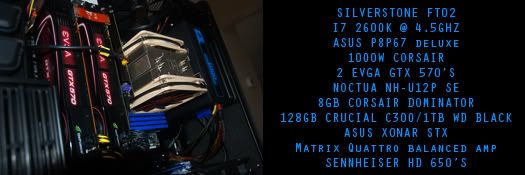
You want to connect to the top card, left port, dvi is good IMHO.
Edited by DST4ME - 10 Jul 2011 at 3:38pm |
|
|
|
|
RiceEatin2000GT
DS Veteran 
Joined: 02 Oct 2008 Online Status: Offline Posts: 1699 |
Quote Reply
Posted: 10 Jul 2011 at 10:20pm |

|
|
|
|
|
|
|
Alex
Admin Group 
Digital Storm Supervisor 
Joined: 04 Jun 2012 Online Status: Offline Posts: 16314 |
Quote Reply
Posted: 11 Jul 2011 at 5:14pm |
|
Thank you everyone for supporting our customers, it's much appreciated as always.

|
|

|
|
|
|
|
Muddy
Groupie 
Joined: 03 Feb 2011 Online Status: Offline Posts: 126 |
Quote Reply
Posted: 11 Jul 2011 at 7:11pm |
|
DVI is the way to go I say. You will notice a pretty sharp improvement over VGA, but not much difference versus HDMI.
Also, if you're in the market for a DVI, do not buy from retail chains, as they will try to sell you a $60 DVI you can buy online for $5. I suggest checking out Monoprice.com, as they have high quality cables for absolute DIRT CHEAP prices. Just for an example, I just bought a 14 foot Cat 6 ethernet cable, and a 6 foot dvi, for $15 after tax/shipping. Can't go wrong. Also, Amazon has some cheap cables as well. Edited by Muddy - 12 Jul 2011 at 11:16am |
|
|
|
|
jgarc12
Newbie
Joined: 14 Jun 2011 Online Status: Offline Posts: 34 |
Quote Reply
Posted: 11 Jul 2011 at 7:26pm |
|
Do you think a DVI cable will come with the PC?
|
|
|
CPU: Intel Core i7 2600K 3.40GHz OCed to 4.4 GHz, Liquid Cooled
MB: ASUS P8P67 Deluxe Memory: 8GB DDR3 @ 2000MHz HD: 120GB Solid State Intel GPU: 2x NVIDIA GeForce GTX 570 1.2GB |
|
|
|
|
Muddy
Groupie
Joined: 03 Feb 2011 Online Status: Offline Posts: 126 |
Quote Reply
Posted: 12 Jul 2011 at 11:15am |
|
Very unlikely. Normally your monitor would contain those particular cables, and I'm not sure how many brands give you high quality stuff out of the box.
|
|
|
|
|
Alex
Admin Group
Digital Storm Supervisor
Joined: 04 Jun 2012 Online Status: Offline Posts: 16314 |
Quote Reply
Posted: 12 Jul 2011 at 7:43pm |
|
The systems do not come with DVI cables, as every monitor that has DVI inputs should come with a DVI cable. Some systems do come with HDMI cables.
|
|
|
|
|
|
|
|
Post Reply
|
| Forum Jump | Forum Permissions You cannot post new topics in this forum You cannot reply to topics in this forum You cannot delete your posts in this forum You cannot edit your posts in this forum You cannot create polls in this forum You cannot vote in polls in this forum |

About Digital Storm
Contact Information
Facility Tour
Financing
Buy Now, Pay Later
Downloads
GSA Schedule
Terms & Conditions
Privacy Policy
Request Help
Call: 1-866-817-8676
(Hours 9AM-5PM PST)





 Topic Options