Video Card Slot SelectionPost Date: 2009-07-12 |
Post Reply 
|
| Author | |
Jennings386 
Groupie 

Joined: 18 Jun 2009 Online Status: Offline Posts: 48 |
 Quote Reply Quote Reply
 Topic: Video Card Slot Selection Topic: Video Card Slot SelectionPosted: 12 Jul 2009 at 11:27pm |
|
I was poking around inside the case of my new rig today while thinking about mounting some additional UV lights for extra glowy factor and noticed something odd. My video cards, as mounted by DSO, are in the first (PCIe x16) and third (PCIe x8) slots on the EVGA x58 mobo, instead in the first and second (PCIe x16/x8) slots as reccomended in the mobo manual.
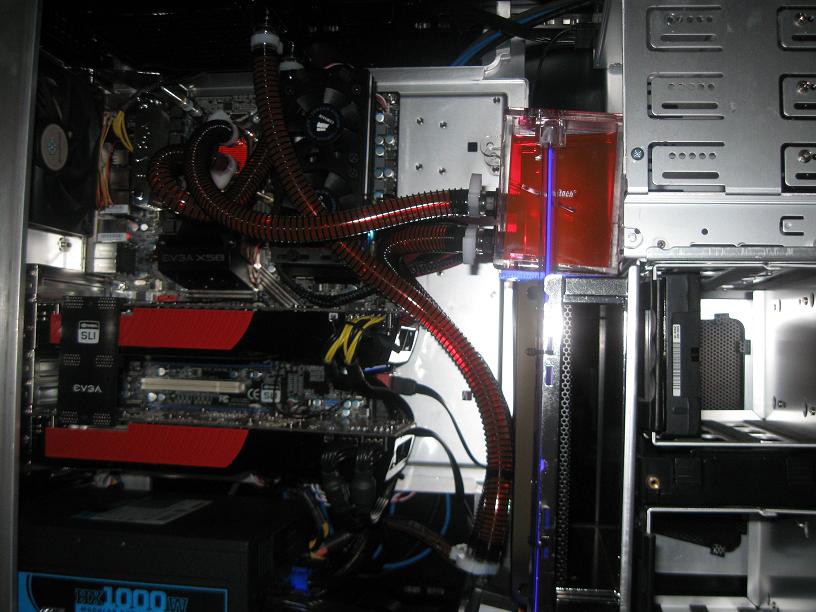 Now comes my question. How much performance would I gain if I moved the second card from the PCIe x8 slot to the PCI x16/x8? Would this increase the amount of heat associated with the cards because they are now right next to each other?
I have yet to throw anything particularly GPU demanding at this system so I don't know if it is even an issue for what I normally do. I'm mostly curious about what reasons the system wasn't put together in the most "optimal" way according to the hardware documentation.
|
|
 |
|
|
DST4ME
DS ELITE 
Joined: 14 Apr 2008 Online Status: Offline Posts: 36758 |
Quote Reply
Posted: 13 Jul 2009 at 12:11am |
|
Test the PC, put it thru some games, and if you are getting over 60 fps on high settings as they are, then leave it alone, they are apart so they have more room to breath, you can put them next to each-other, some people have reported a %10 gain in frames but if you are already over 60 fps, the 10% won't be noticed.
so why don't you test it both ways and let us know if you saw/noticed any gain and is the heat worth it or not  
BTW that looks nishe Edited by DST4ME - 13 Jul 2009 at 12:12am |
|
|
|
|
justin.kerr
DS Veteran 
Joined: 06 May 2008 Online Status: Offline Posts: 5084 |
Quote Reply
Posted: 13 Jul 2009 at 11:25am |
|
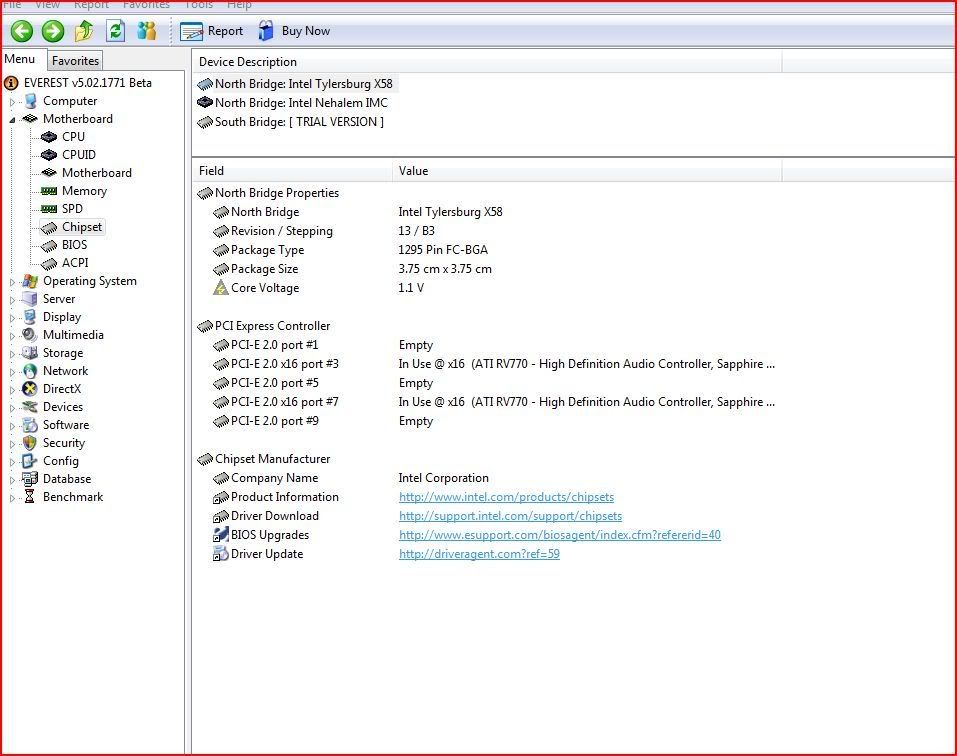
download everest, and see what it reports for pcie speed? my GPU's are in the same slots as yours, and both are 16x. The way yours is now is also a lot better for cooling.
 |
|
|
|
|
Jennings386
Groupie
Joined: 18 Jun 2009 Online Status: Offline Posts: 48 |
Quote Reply
Posted: 13 Jul 2009 at 11:47am |
|
Will do. I was basing my slot speed off the mobo map and wording in the manual.
|
|
|
|
|
justin.kerr
DS Veteran
Joined: 06 May 2008 Online Status: Offline Posts: 5084 |
Quote Reply
Posted: 13 Jul 2009 at 11:59am |
|
what graphics cards are you using? GTX 275's? If so, then 8x speed will be plenty of bandwidth for them. On your MB the top and middle are the 16x pcie slots. if you have dual GTX 295's then I would recommend moving the bottom card up, because that card will saturate a pcie 8x slot.
|
|
|
|
|
Jennings386
Groupie
Joined: 18 Jun 2009 Online Status: Offline Posts: 48 |
Quote Reply
Posted: 13 Jul 2009 at 12:04pm |
|
They are GTX 275s and like I said, I havn't noticed any performance issues with my normal use. I am probaly more concerned about heat at this point than any lack of potential, so I am going to just keep them the way they are for the time being.
|
|
|
|
|
Post Reply
|
| Forum Jump | Forum Permissions You cannot post new topics in this forum You cannot reply to topics in this forum You cannot delete your posts in this forum You cannot edit your posts in this forum You cannot create polls in this forum You cannot vote in polls in this forum |

About Digital Storm
Contact Information
Facility Tour
Financing
Buy Now, Pay Later
Downloads
GSA Schedule
Terms & Conditions
Privacy Policy
Request Help
Call: 1-866-817-8676
(Hours 9AM-5PM PST)





 Topic Options