Your dream monitor setup. IPS vs 120hzPost Date: 2011-05-24 |
Post Reply 
|
| Author | |
Anglis 
Newbie 
Joined: 07 May 2011 Online Status: Offline Posts: 83 |
 Quote Reply Quote Reply
 Topic: Your dream monitor setup. IPS vs 120hz Topic: Your dream monitor setup. IPS vs 120hzPosted: 24 May 2011 at 1:55pm |
|
So if you had the choice between a certain setup, which would you choose? Un-parallel picture quality from an IPS panel?
Or a 3 way monitor setup with 120hz and virtually no response time with the possibility of 3D? This is my problem. I know both have their benefits. The IPS panels have vibrant color but their response time isn't so great (8MS). The 120 HZ monitors are great for rigs that can push over 120fps and have very low response time (2MS), but they are TN. So for gaming, what would you guys rather have. U2711 http://accessories.us.dell.com/sna/products/Displays/productdetail.aspx?c=us&l=en&s=dhs&cs=19&sku=224-8284 or U3011 Or 3 x 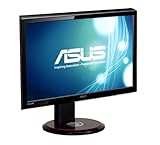 3 way monitor setup in action. http://www.amd.com/us/products/technologies/amd-eyefinity-technology/for-consumers/Pages/experience-eyefinity.aspx Edited by Anglis - 24 May 2011 at 1:57pm |
|
 |
|
|
maxyme
DS Veteran 
Joined: 14 Aug 2010 Online Status: Offline Posts: 1514 |
Quote Reply
Posted: 24 May 2011 at 2:05pm |
|
The human eye can't see faster than 30hz so 120 is useless. But eternity is sick
Id go eyefinity because it looks awesome. But if possible a the dell ultraaharp $250 one in the middle. |
|
|
Steam:pcmaster160
|
|
|
|
|
Anglis
Newbie
Joined: 07 May 2011 Online Status: Offline Posts: 83 |
Quote Reply
Posted: 24 May 2011 at 2:16pm |
|
120 hz looks different then a standard 60hz TN. The clarity is better and no motion blur. I guess if I wasn't curious about 3D i could go with 3 dell ultra sharp 23 inches. But that is expensive too, and like I said, I like First person games like Battlefield and I hear the 120hz low response time is great.
I also hear, if you go IPS you never go back. The 30 inch dell is like $1500, so it's the same cost as the 3 way monitor. Hard choices! If I wear to go 120hz 3 way..i'd probably go with two GTX 580 3GB edition. If i went with the IPS, i'd go with two 6970's. Edited by Anglis - 24 May 2011 at 2:18pm |
|
|
|
|
ablahblah
DS Veteran

Joined: 12 Jun 2009 Online Status: Offline Posts: 2312 |
Quote Reply
Posted: 24 May 2011 at 5:08pm |
|
My dream monitor setup, regardless of graphics power? I remember this behemoth I saw in MaximumPC...muhuhahahaha.
Just to brag about it  Samsung Syncmaster MD230X6 http://www.amazon.com/23-6-Screen-Multi-Display/dp/B003HHK6KW/ref=sr_1_1?ie=UTF8&qid=1306271358&sr=8-1 Edited by ablahblah - 24 May 2011 at 5:10pm |
|
|
R4D4RPR00F
Core i7 920 @ 3.9Ghz Asus Sabertooth X58 EVGA GTX 570 Mushkin 6GB 1414Mhz |
|
|
|
|
maxyme
DS Veteran
Joined: 14 Aug 2010 Online Status: Offline Posts: 1514 |
Quote Reply
Posted: 24 May 2011 at 5:12pm |
|
lol i saw that one too. first i was like holy crap i have to get that! then i see its 3k and im like... ok... maybe not. my computer doesn't even cost that much :P
|
|
|
Steam:pcmaster160
|
|
|
|
|
Dragoonseal
DS Veteran
Joined: 03 Apr 2009 Online Status: Offline Posts: 2247 |
Quote Reply
Posted: 24 May 2011 at 5:19pm |
It goes on sale very frequently, sometimes as low as $1124 (example of when I got it). There is no ghosting or input lag on the Dell, I game on it 40+ hours a week. |
|
|
Lilim
Intel Core i7 920 @4.2GHz HAF 932 - Dual SLI Nvidia GTX 480s 3x Intel X25-M G2 (80GB) SSD RAID0 |
|
|
|
|
Anglis
Newbie
Joined: 07 May 2011 Online Status: Offline Posts: 83 |
Quote Reply
Posted: 24 May 2011 at 5:27pm |
|
I guess it'll come down for picture quality to surround picture...I have a few weeks to think on this.
|
|
|
|
|
DST4ME
DS ELITE 
Joined: 14 Apr 2008 Online Status: Offline Posts: 36758 |
Quote Reply
Posted: 25 May 2011 at 3:05am |
|
Response time and contrast ratio are BS numbers, and impossible to compare, so ignore them.
If you want to get a higher refresh rate go with 240. keep in mind in 3D and say 3 x 1900 x 1200 res, there is not enough gpu power to support that, in 3D your fps rates are cut in half, so for example if at 1900 x 1200, in metro you are getting 24fps from a 580, in 3D you would be getting like 12 fps from a 580. |
|
|
|
|
Invader Mig
Groupie 
Joined: 05 Aug 2009 Online Status: Offline Posts: 244 |
Quote Reply
Posted: 30 May 2011 at 1:54pm |
I don't know who told you the human eye can't see more than 30hz, but that's pure and utter bs. I've had that convo so many times, but the human eye can register well beyond even 60 frames, so I just wanted to correct that common misconception once again. As someone said, once you go isp you don't go back, and that's probably true. I think the same can be said for having a monitor at 120hz. I own on a 2233rz, and have gamed on the new Asus 120hz as well as the u2410. The u2410 looks leaps and bounds better than any TN panel ever could, but at the end of the day It's still a 60hz monitor, and I could never go back to gaming at 60hz. Even with the same Gcard the difference between 60hz and 120hz is very noticable and worth it for serious gamers, especially in FPS games. Also TN panels have faster response times than isp, but most people don't notice the difference, so it's not a big deal. More often than not, if you've been gaming on 60hz monitors all your life then, you'll probably be better off going with the monitor with the prettier looking image. For anyone who has ever gamed on a old 120hz CRT, it's very painful gaming at 60hz. I'd offer a sacrifice to the tech gods if I knew it'd get me a "True" 120hz ISP monitor. That sham of a Mitsubishi monitor doesn't count as it's not "True" 120. Edited by Invader Mig - 30 May 2011 at 1:59pm |
|
|
|
|
maxyme
DS Veteran
Joined: 14 Aug 2010 Online Status: Offline Posts: 1514 |
Quote Reply
Posted: 30 May 2011 at 3:24pm |
|
lights flicker on and off 60 times per second and its always still for us. because of alternating current. the higher fps make the picture clearer with less motion blur ect but we still can't see above 30ish fps.
|
|
|
Steam:pcmaster160
|
|
|
|
|
DST4ME
DS ELITE
Joined: 14 Apr 2008 Online Status: Offline Posts: 36758 |
Quote Reply
Posted: 30 May 2011 at 6:34pm |
|
From what I understand what you can see depends on the individual, we are all different, study done in the 80s shows human eye can see around 81fps, depending on the person.
But there is more then just refresh rate that goes into what we see, there is a lot more going on. Edited by DST4ME - 30 May 2011 at 6:40pm |
|
|
|
|
maxyme
DS Veteran
Joined: 14 Aug 2010 Online Status: Offline Posts: 1514 |
Quote Reply
Posted: 30 May 2011 at 6:53pm |
|
but 81 frames per second makes no sense. maybe we can see 80fps but our brain can only process around 24. even though thats the cap it doesn't mean it cant be crisper and higher frame rates. our eye sees very fast but its limited to our brain's proccessing speed. its very complex.
source: i have a test on light and the eye in physics tommorow lol great timing. also heres a bit on wikipedia, slightly outdated but still informative
|
|
|
Steam:pcmaster160
|
|
|
|
|
DST4ME
DS ELITE
Joined: 14 Apr 2008 Online Status: Offline Posts: 36758 |
Quote Reply
Posted: 30 May 2011 at 9:23pm |
|
I know the article, but at the top its says:
I know the brain needs 24fps to record/see smooth but I don't believe that is the limit or proven to be the limit by anybody, as far as how many fps one can see. the test showed upto 81 fps, not everybody saw that many, many seen lower yet due to perception and all the gaps the brain fills a person seeing 30 fps would report the same smoothness as somebody how saw 50 fps, its difference from person to person. Edited by DST4ME - 30 May 2011 at 9:24pm |
|
|
|
|
heritage1550
Newbie
Joined: 15 Mar 2011 Online Status: Offline Posts: 62 |
Quote Reply
Posted: 30 May 2011 at 10:03pm |
|
So when man first said "I see the light". What was he really looking at???

|
|
|
|
|
Bkral
Newbie
Joined: 30 May 2011 Online Status: Offline Posts: 22 |
Quote Reply
Posted: 31 May 2011 at 9:47am |
|
Hmm... why have so many people started getting IPS panels? I understand the pros and cons to both, but it seems that the IPS still benefit the productivity/design side of the house, where as the 120hz is not matched for gaming. I use a Dell U3011 for my work, being an animator and having to have color accuracy. What all does it provide for gamers other than that? Still seems like one of the newer 120hz displays would suit them better.
|
|
|
|
|
Dragoonseal
DS Veteran
Joined: 03 Apr 2009 Online Status: Offline Posts: 2247 |
Quote Reply
Posted: 31 May 2011 at 3:00pm |
The U3011 offers just that, unmatched IPS picture quality and color, at the highest resolution 2560x1600@60Hz. Unfortunately 2560x1600@60Hz is the limit of current monitor cables' bandwidth, if you want 120Hz you have to step down to 1920x1200, and on a TN monitor at that (at least, I don't know of any IPS 120Hz monitors yet). So it's picture quality and resolution vs refresh rate. While I haven't experienced a 120Hz monitor yet, having gamed at 1920x1200 on a TN monitor for years and now gone to gaming on an IPS U3011 at 2560x1600x60Hz I know I will never go back to 1920x1200 on a TN again. =) |
|
|
Lilim
Intel Core i7 920 @4.2GHz HAF 932 - Dual SLI Nvidia GTX 480s 3x Intel X25-M G2 (80GB) SSD RAID0 |
|
|
|
|
Alex
Admin Group 
Digital Storm Supervisor 
Joined: 04 Jun 2012 Online Status: Offline Posts: 16314 |
Quote Reply
Posted: 31 May 2011 at 3:08pm |
|
I have a 120Hz display, and I will never go back. The 120Hz display is much more smoother. Having 60+ FPS in games are at a serious disadvantage unless you have a 120Hz display.
|
|

|
|
|
|
|
Anglis
Newbie
Joined: 07 May 2011 Online Status: Offline Posts: 83 |
Quote Reply
Posted: 31 May 2011 at 3:37pm |
|
Well If I did 3D with 3 monitors, I wouldn't use all 3 for 3D anyway, I'd just use the center one.
But I think i've come up with my solution. I think the u27 which is still phenomenal, i know know it's not as good as the u30, but it can't be that far behind right?? I'll go with the u27, then get the asus 3dkit 120 hz monitor and use it as my dual monitor. I'll primarily game with u27 because of resolution but if I want to try 3D gaming, and find that in Bad Company 2 or Battlefield 3 when it releases that i need faster movement, then I'll just use the 120hz. That way, I spend around the same amount of money as I would for the u30. So u27+asus120hz= same amound for u30. So unless the u27 for some reason just sucks please tell me now, that is probably what I'm going with. |
|
|
|
|
DST4ME
DS ELITE
Joined: 14 Apr 2008 Online Status: Offline Posts: 36758 |
Quote Reply
Posted: 31 May 2011 at 10:17pm |
|
I would go with the u30.
Alex your games are not going to get any smoother when they are already smooth at 60fps. sure 75fps might look a tad bit better, but its not a huge deal. also if I wanted to go to a better refresh rate, I would not waste my money on these so called 120Hz monitors, I would go for a true 240Hz, specially for 3d. I remember back in nov LG was talking about comeing out with a ips panel at 240hz, not that I recommend LG, but one comes out, the rest follow. Edited by DST4ME - 31 May 2011 at 10:18pm |
|
|
|
|
Post Reply
|
| Forum Jump | Forum Permissions You cannot post new topics in this forum You cannot reply to topics in this forum You cannot delete your posts in this forum You cannot edit your posts in this forum You cannot create polls in this forum You cannot vote in polls in this forum |

About Digital Storm
Contact Information
Facility Tour
Financing
Buy Now, Pay Later
Downloads
GSA Schedule
Terms & Conditions
Privacy Policy
Request Help
Call: 1-866-817-8676
(Hours 9AM-5PM PST)





 Topic Options